


In the vastity of companies with different particularities, it’s sometimes hard to find the right solution for your problem. For example, let’s talk about companies that carry out services in various locations throughout the day. This means that the employees change work points often, and employers have to somehow keep track of their time in each location. It sounds pretty complicated, doesn’t it? But with the right solution, everything can be solved. The HRiFlow app is a versatile software that meets the requirements of any company that encounters this issue, no matter the industry. Read more about the PIN code & QR code clock-in method in HRiFlow.
How does HRiFlow help companies that execute work in various locations?
Investing in devices for all employees and every location can be a big expense, and it might not be a good solution, anyway. The HRiFlow app allows the addition of numberless locations, and the two great clock-in features for these cases are:
- The PIN code clock-in on a location link;
- The QR code clock-in on a location link.
The PIN code clock-in method
This is an easy and fast method for employees to clock in at work without accessing the app. They must only have a PIN code individually assigned, and that is all. Then, when a certain team arrives at the planned work point, the person responsible for clock-in will use the personal PIN code from every employee’s identification card.
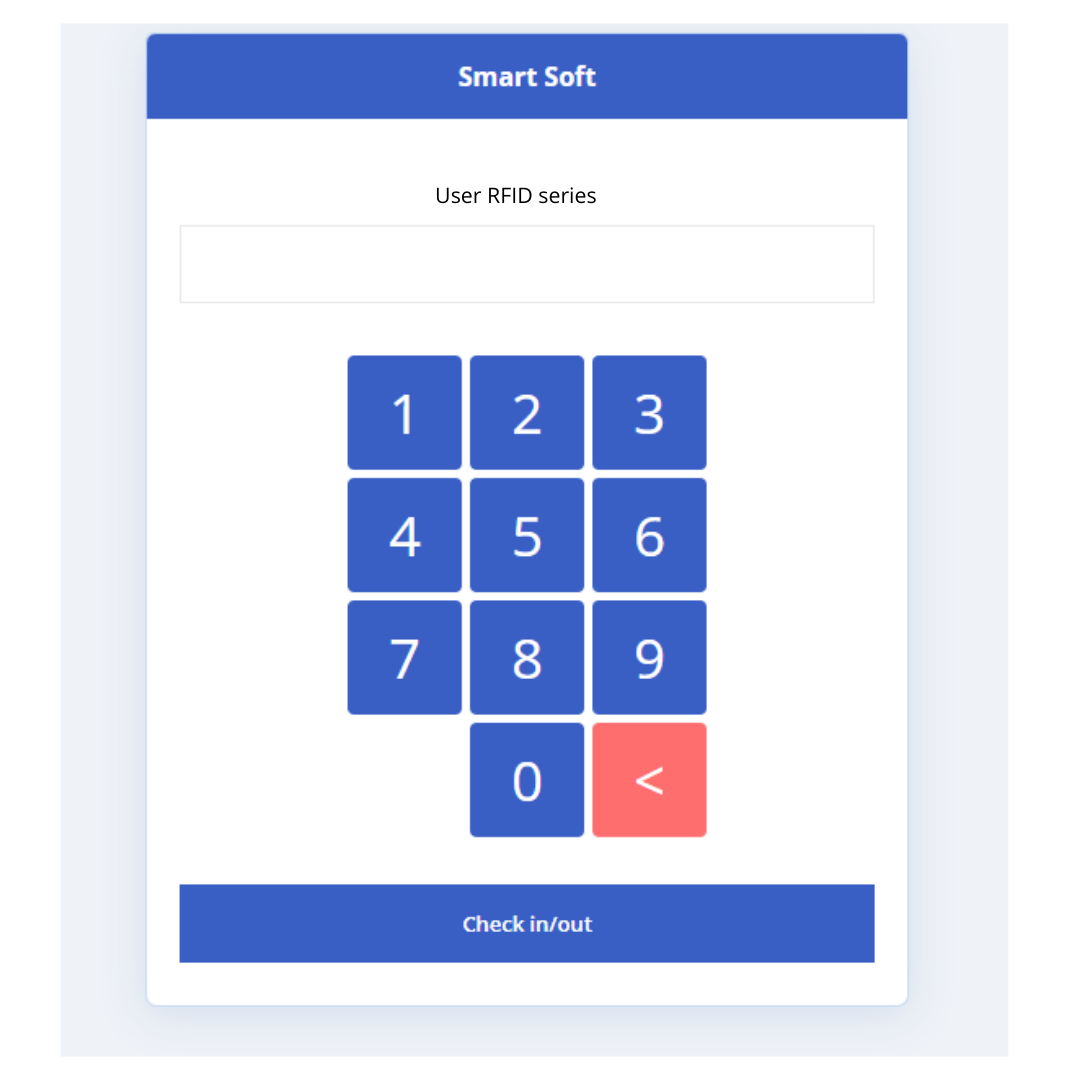
How does one get the location link to clock-in the employees?
The location link is sent to the person responsible for employee check-in at every work point that is about to have work done by mobile workers. This link will be received via email, text message, or any other messaging option. Once opened, the individual PIN codes will be typed in a few seconds, and this is how the clock-in is executed for every employee. When the workday is over, the clock-out is done in the exact same way.
The QR code clock-in method
Just like the PIN code method, the QR code clock-in is done simply and quickly. How does this work? The QR code is automatically generated in the app, so the employer doesn’t have to put in any extra effort. The only thing one is required to do is print the QR codes for each location and display them where employees have easy access. When they get to the work point, they scan the QR code individually with their phones and get a link where they type in their personal PIN code.

The clock-out requires the same steps. An even easier solution is for employees to add the clock-in and clock-out time when arriving at work. This only works if they have a work norm established beforehand.
Data gathering in the HRiFlow app
All the information is instantly sent to the HRiFlow app, which calculates all the time spent by employees on a certain location in real-time. You will be permanently informed about who is at work and who is missing. The intelligent reporting system compiles all the information in personalized reports that are easily filtered by locations. Afterwards, it’s fast to download and send to the payroll management.
Digitize as many manual processes as possible with the HRiFlow time and attendance solution. You’re not sure how HRiFlow can help you automate HR tasks? Then, schedule an online meeting with one of our specialists and find out why HRiFlow is the best solution for your business.