

How many hours does your team lose every month manually tracking when an employee’s ID card, driving license, or contract is about to expire? HRiFlow’s reminders module takes that job off your plate, flagging important deadlines before they slip past you.
What are the HRiFlow reminders?
The HRiFlow reminders are automated, fully configurable notifications that keep you on top of key deadlines and actions across your company:
- expiring ID cards, residency permits, driving licenses, meal voucher cards, disability certificates
- renewals for OHS (occupational health and safety) training and medical checkups
- employment contracts and probation periods coming to an end
- submission deadlines for REGES Online (Romania’s national employee registry)
- other administrative to-dos: signing a document, wrapping up an evaluation, sending a message tied to a logged event
Who are reminders for?
Any company that wants tighter control over its admin processes will get value here, but the feature becomes genuinely essential once you’re dealing with a large headcount or an HR team juggling a heavy volume of documents.
Types of reminders in HRiFlow
Automatic reminders
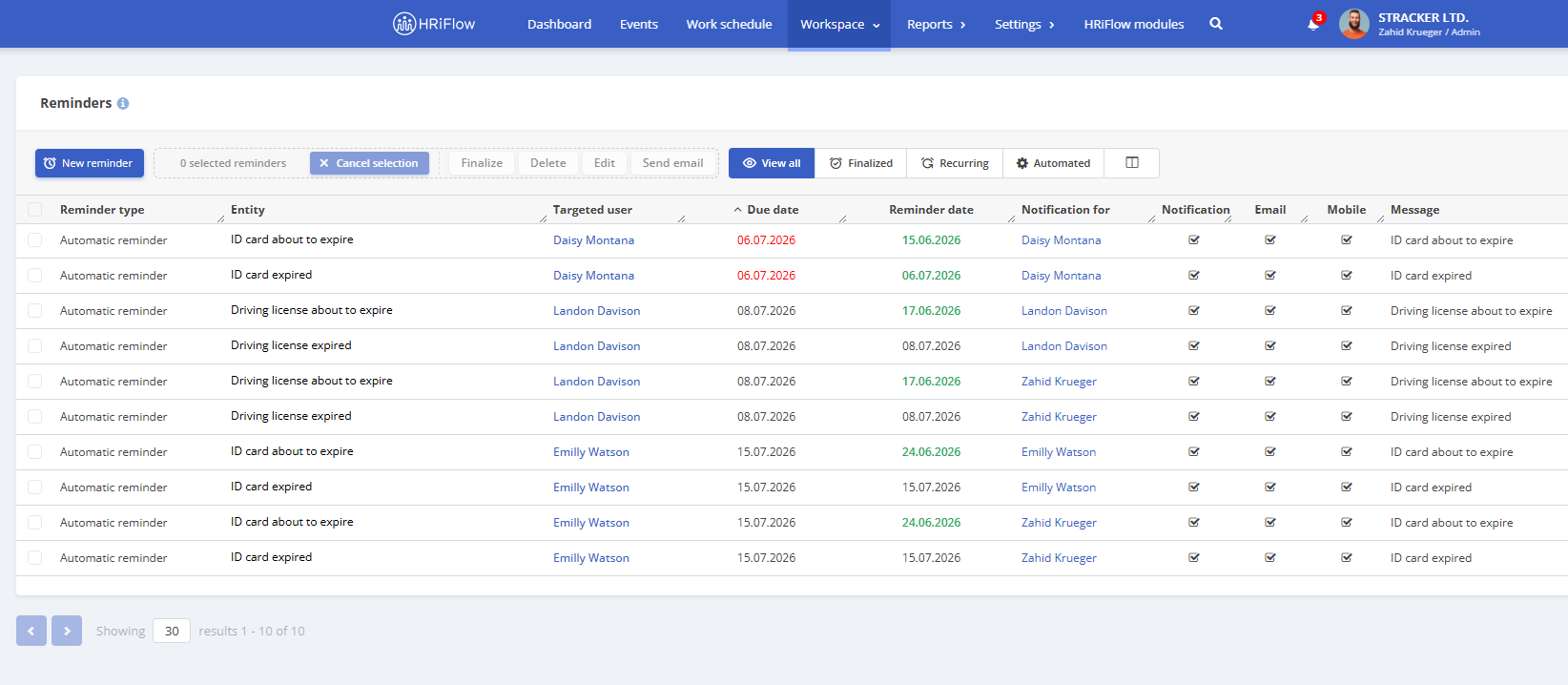
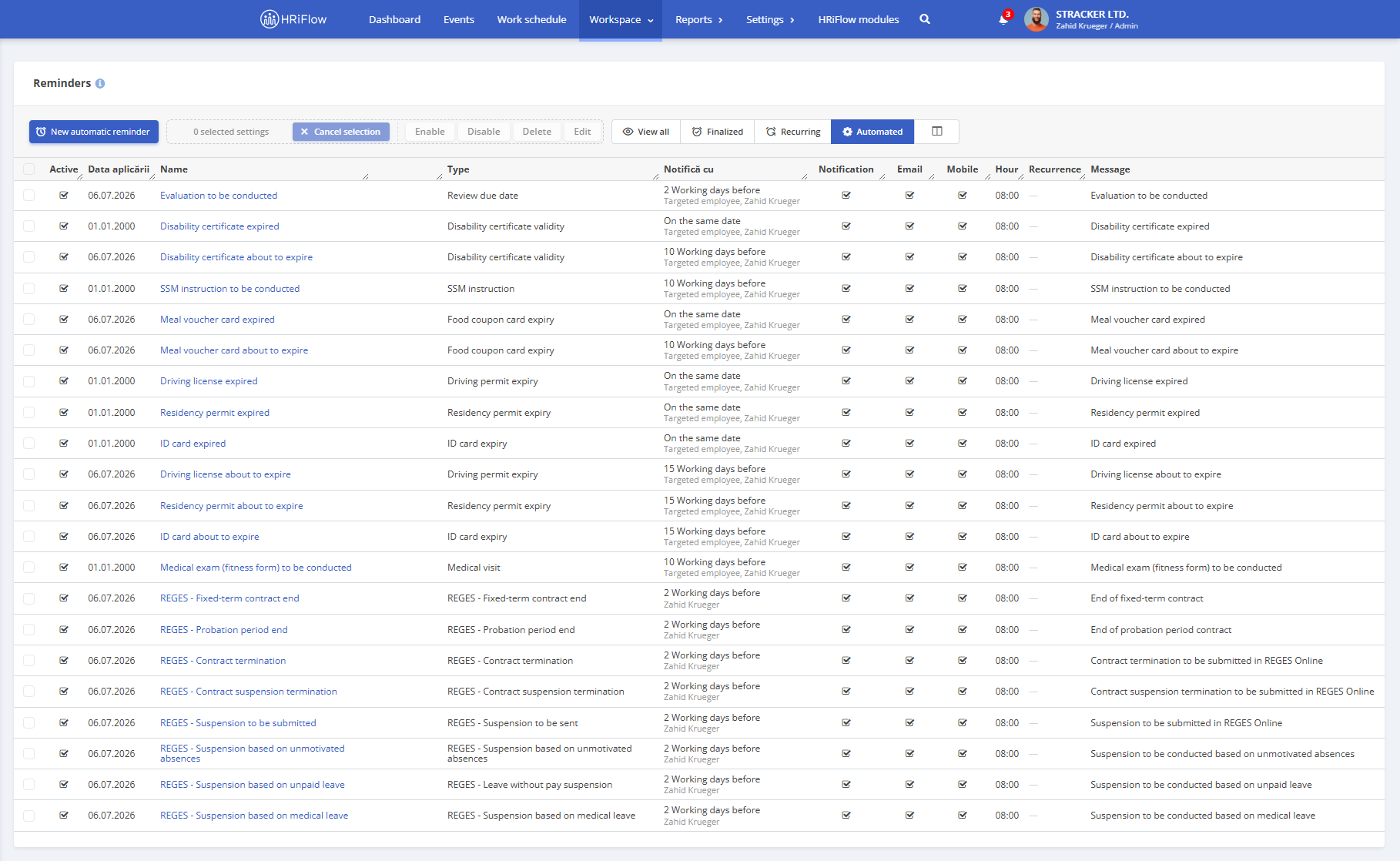
Once the module is activated, the system automatically builds a list of reminders for employee documents, including ID card, driving license, OHS training, meal voucher card, medical checkup, disability certificate, and more.
On top of that, you’ll get reminders tied to REGES Online submission deadlines; a heads-up when a fixed-term contract or probation period is wrapping up, when a notice period is nearing its end, or when a termination or suspension needs to be filed before the legal deadline.
Each reminder category (ID card expiry, say, etc.) triggers two notifications: an early warning, sent to the manager and the employee the document belongs to – a set number of days before the deadline (you choose how many), and a second one on the actual expiry date.
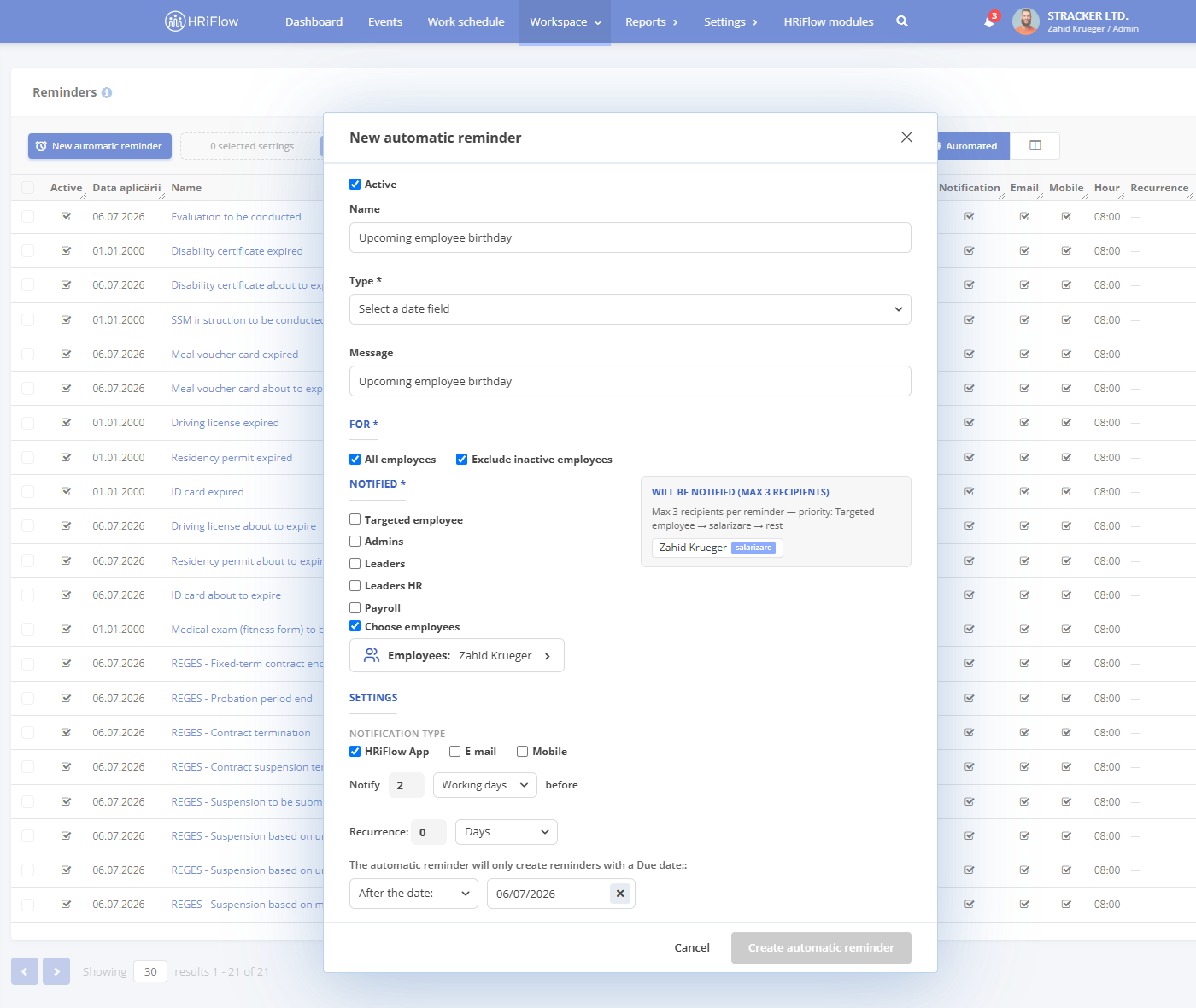
Beyond the reminders the module sets up by default, you can build your own using any of the app’s available date fields. Want a nudge a few days before an employee’s birthday, and again on the day itself, so you actually have time to plan something? Easy.
You’re always in control: enable, disable, or edit any rule whenever you like: the message that goes out, who’s notified, how much advance notice, the channel (in-app, mobile push, or email), and whether it repeats.
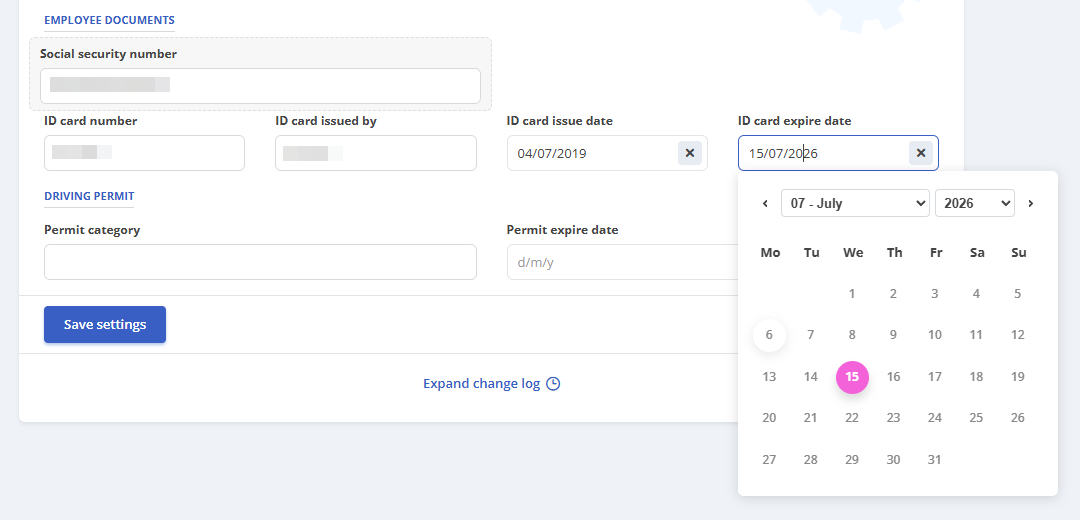
One thing to keep in mind: reminders only appear if the relevant dates are actually filled in on the employee’s profile. Leave the ID card expiry field blank, for instance, and no notification gets generated or sent. All the more reason to make sure profiles are complete from day one of employment.
Date fields available for automatic reminders
Here’s what you can build reminders around:
- Employee: Birthday, ID card expiry, residency permit expiry, driving license expiry, meal voucher card expiry, medical checkup, OHS training, disability certificate validity
- Employment intervals: Start date, end date, notice period start date
- Requests and events: Event start date, event end date, overtime compensation date
- Employee reviews: Review due date
- Projects: Project due date
- REGES Online: Suspension based on medical leave, suspension based on unpaid leave, suspension based on unmotivated absences, suspension to be sent, contract suspension termination, contract termination, end of probation period, end of fixed-term contract
Other types of reminders
In addition to automatic reminders, you can create new reminders for situations that aren’t directly tied to a deadline in the employee’s profile. These can be set up across several categories:
- General: a broad message that needs to go out by a certain date (a holiday schedule announcement, a nudge to complete an internal survey, a memo about a leave policy update, and so on).
- Employee: something tied to one specific person (an annual salary review, a follow-up after a feedback conversation, a notification when mandatory training is due, etc.)
- Documents: for anything that needs updating or completing, like a travel order that has to be ready or submitted by a given date.
- Evaluations: anything tied to employee evaluations or self-evaluation (a heads-up a few days before the deadline, a flag for anyone who hasn’t finished theirs, or just a note once it’s done)
- Events: overtime, leave, time off – reminding someone to hand off their tasks before going on vacation, or chasing down the documents needed to approve a request.
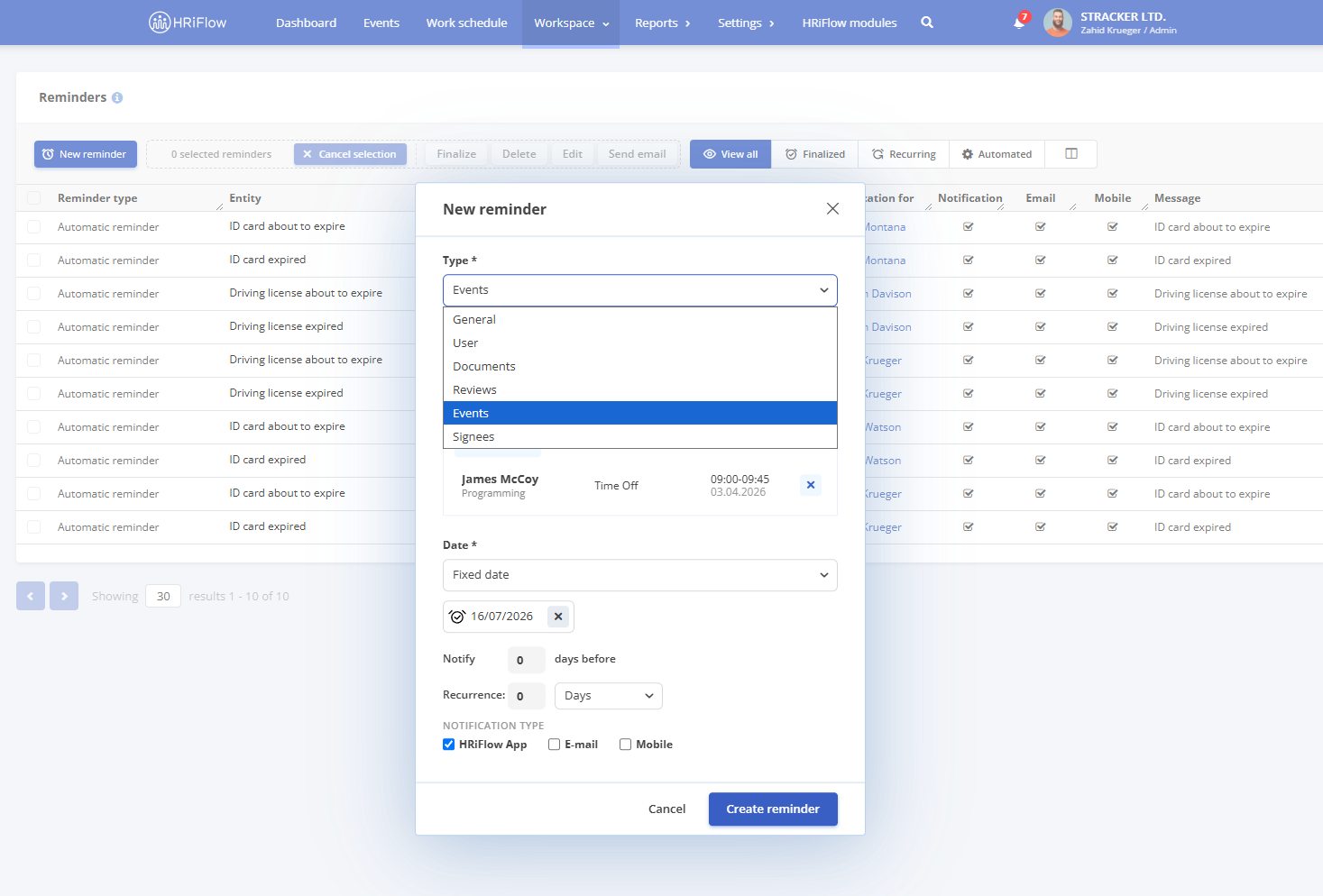
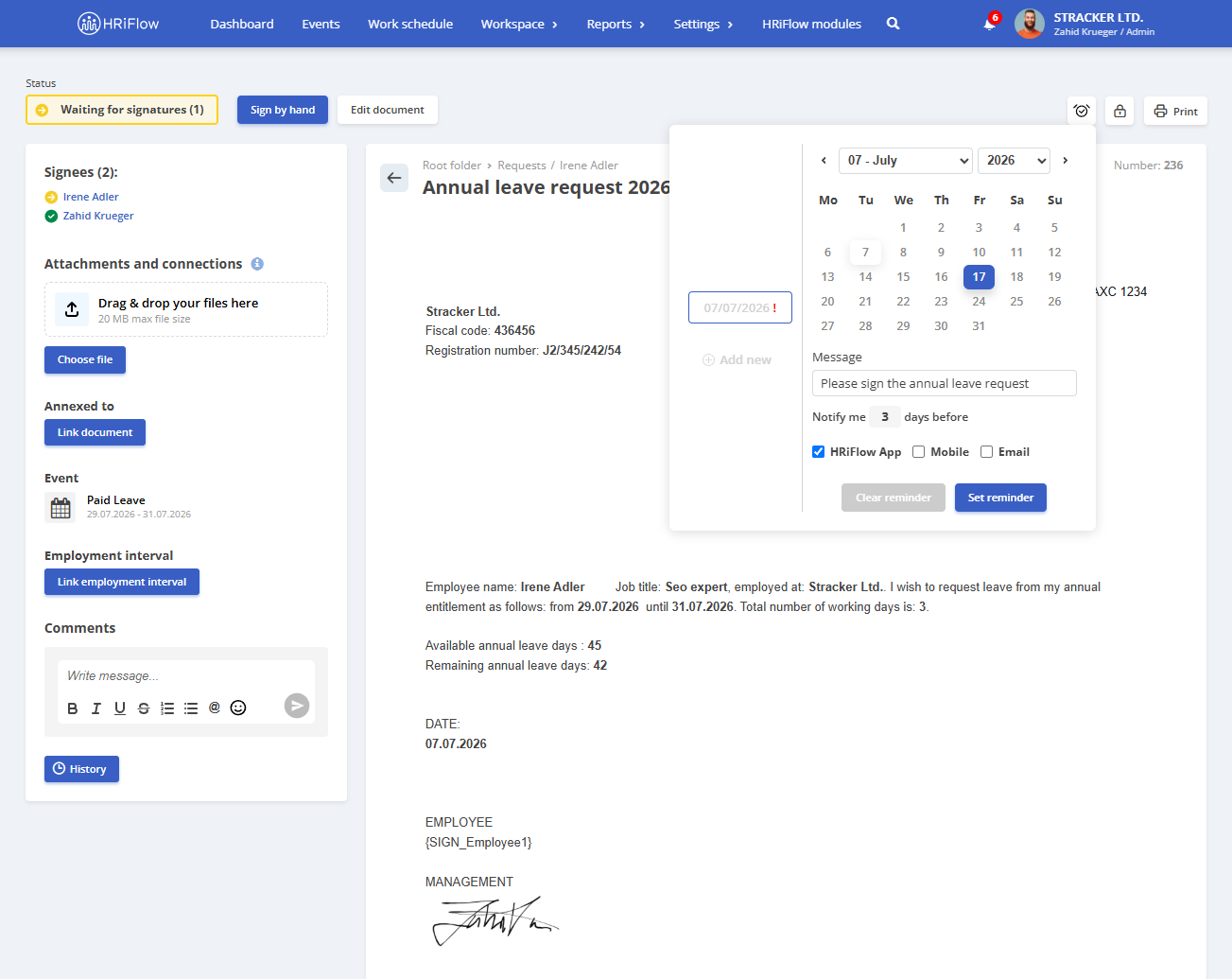
- Signers: for documents waiting on a signature, for example a contract or addendum that’s stalled with a particular employee. This also works for documents generated within the app itself.
Automatic vs. manual reminders – what’s the difference?
Automatic reminders run themselves. They’re built on data already sitting in the employee’s profile (documents, contracts, legal deadlines) so all you really do is switch them on and fine-tune them.
The other types of reminders are for everything else: situations that don’t come with a built-in deadline, but still need chasing – general announcements, a task tied to one employee, an overdue evaluation, a document stuck waiting on a signature.
The reminders report
One dashboard, full visibility: every document with an approaching deadline that needs attention – ID cards, meal vouchers, employment contracts, residency permits, OHS training, medical checkups, and more.
For each one, you’ll see the employee it applies to, the due date, when they (or HR) will be notified, and the channel (app, email, or mobile push). Deadlines are sorted from most to least urgent, so you always know what to tackle first.
Reminders widget
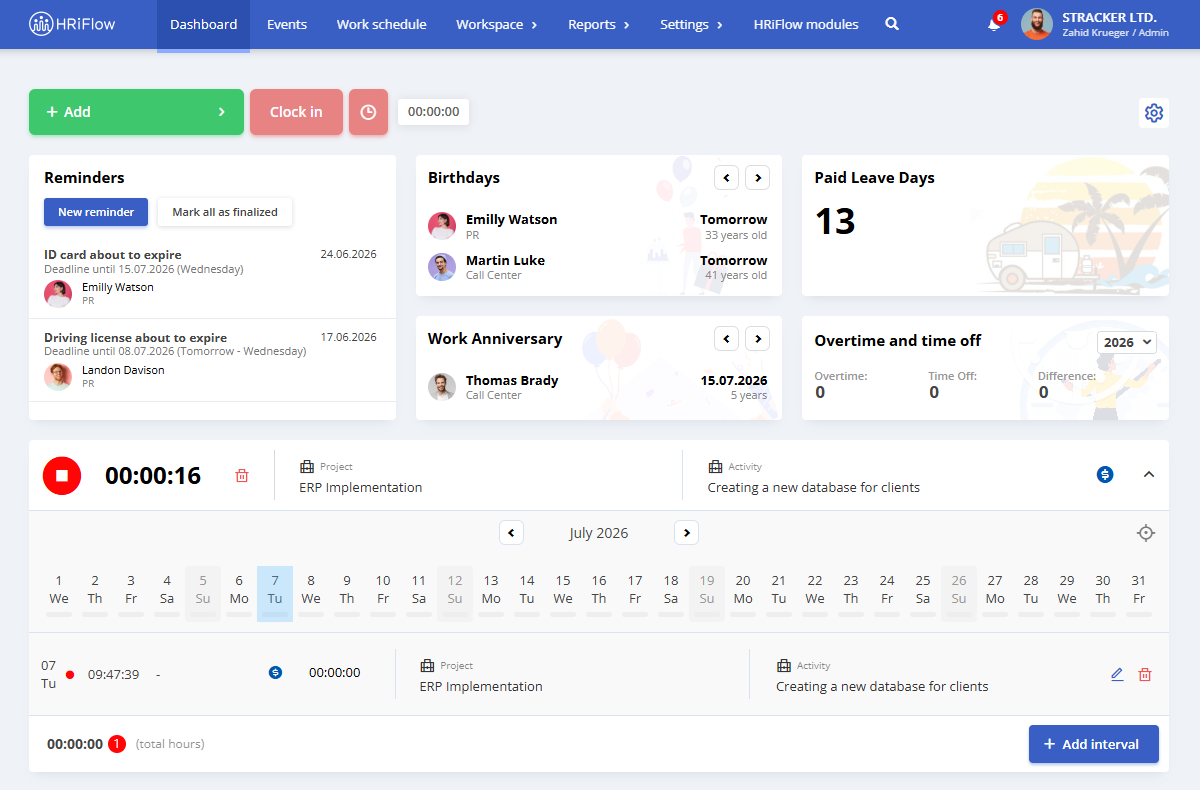
Pin a reminders widget straight to your main dashboard and see, the second you open the app, everything that’s overdue or due today and needs sorting out immediately.
Why use deadline-tracking software like HRiFlow?
- No more dreading a labor inspection
An expired ID card, a contract that missed its REGES Online deadline, OHS training that never got renewed. Any one of these can mean a fine, or, in worse cases, a suspended activity. - Stop keeping it all in your head
HRiFlow tells you ahead of time what’s coming up and when: an evaluation due, a document waiting on a signature, a contract up for renewal, so nothing falls through the cracks. - Get hours back every month
Manually checking documents, updating spreadsheets, chasing down each employee one by one. It all adds up. Redirect that time toward work that actually matters, instead of hunting down who still hasn’t renewed their meal voucher card. - Everything, in one place
See what’s expiring, when, and who’s been (or will be) notified, all from a single screen. Nothing gets buried in an email thread or lost in a spreadsheet only you remember to update.
Best practices for setting up reminders
- Set realistic lead times. Documents that take a while to renew (ID cards, driving licenses) deserve a 15-30 day heads-up, so you’re not scrambling at the last minute.
- Be specific, not generic. “Renew your ID card by July 10th” tells someone exactly what to do and when. “Document expired” just points out a problem without offering a next step.
- Double up on critical deadlines. One notification is easy to miss among the rest. Two – an early one and a closer one, dramatically improve the odds the task actually gets done.
- Close out finished reminders. A clean dashboard, showing only what’s still open, helps you prioritize fast without mentally re-checking what’s already handled.
- Don’t over-remind. A dashboard cluttered with minor pings dilutes attention – and that’s exactly how the important one gets missed.
Try HRiFlow
Already an HRiFlow client? Get in touch to activate your reminders module.
Not a client yet? Create an account to try the platform, or book a free online demo to see how it all works.