


Employee
scheduling software
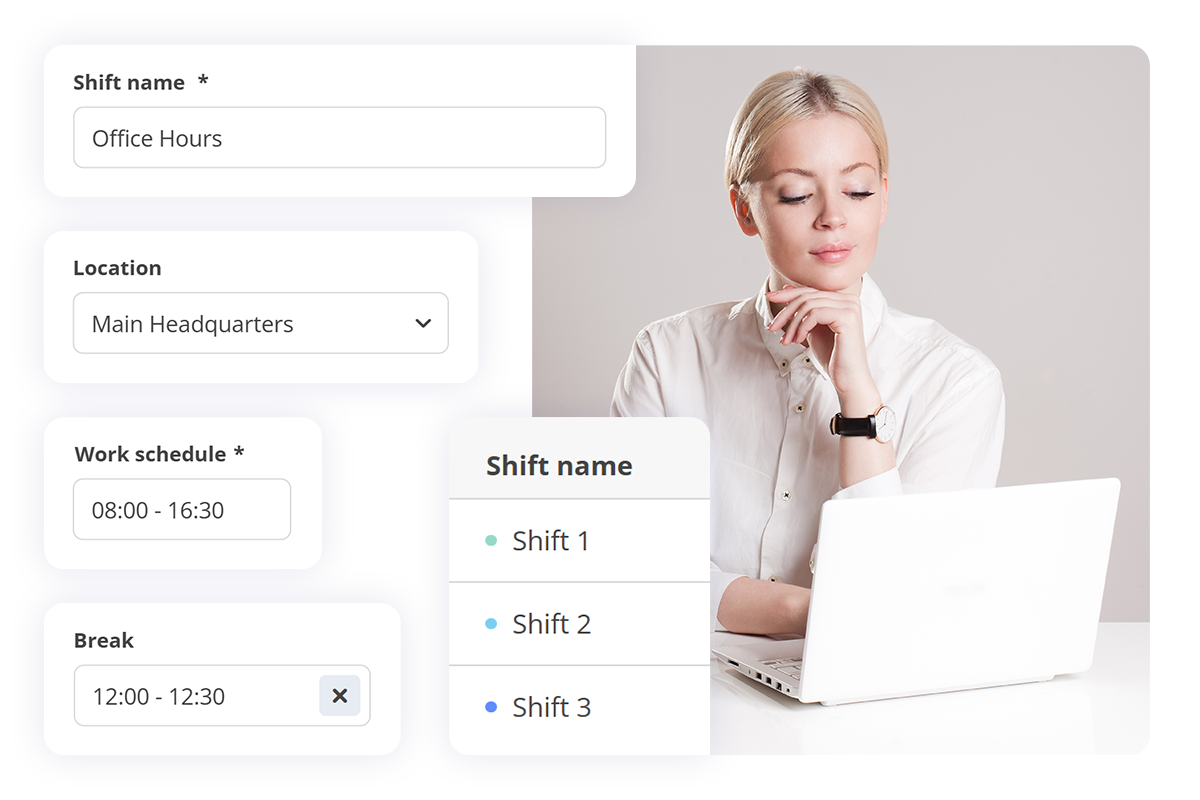
Tired of manual shift planning? With HRiFlow’s smart shift planner, you can create schedule models and assign them to employees.
























Employee scheduling software
Shift planning made easier
1. Set up work shifts
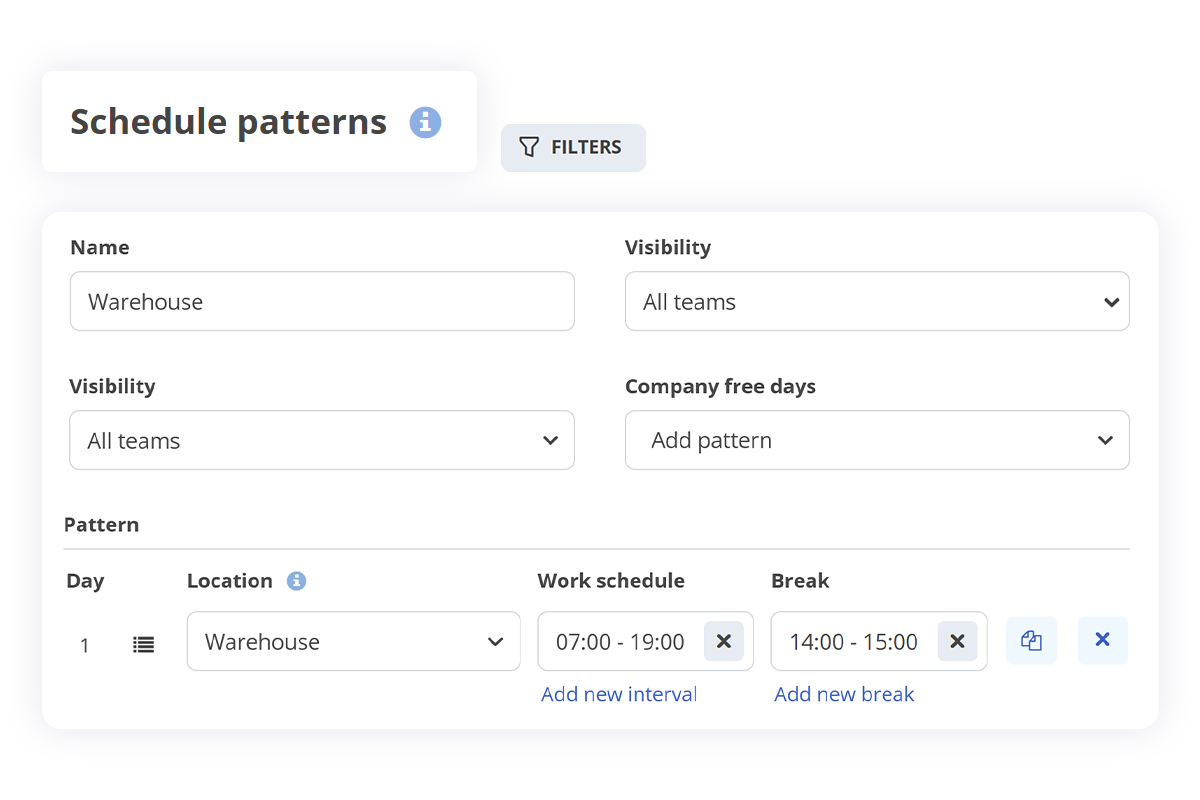
Create shifts and work schedule patterns, set the necessary details, and assign them to employees, so everyone knows when and how they'll work.
2. Assign the work schedule
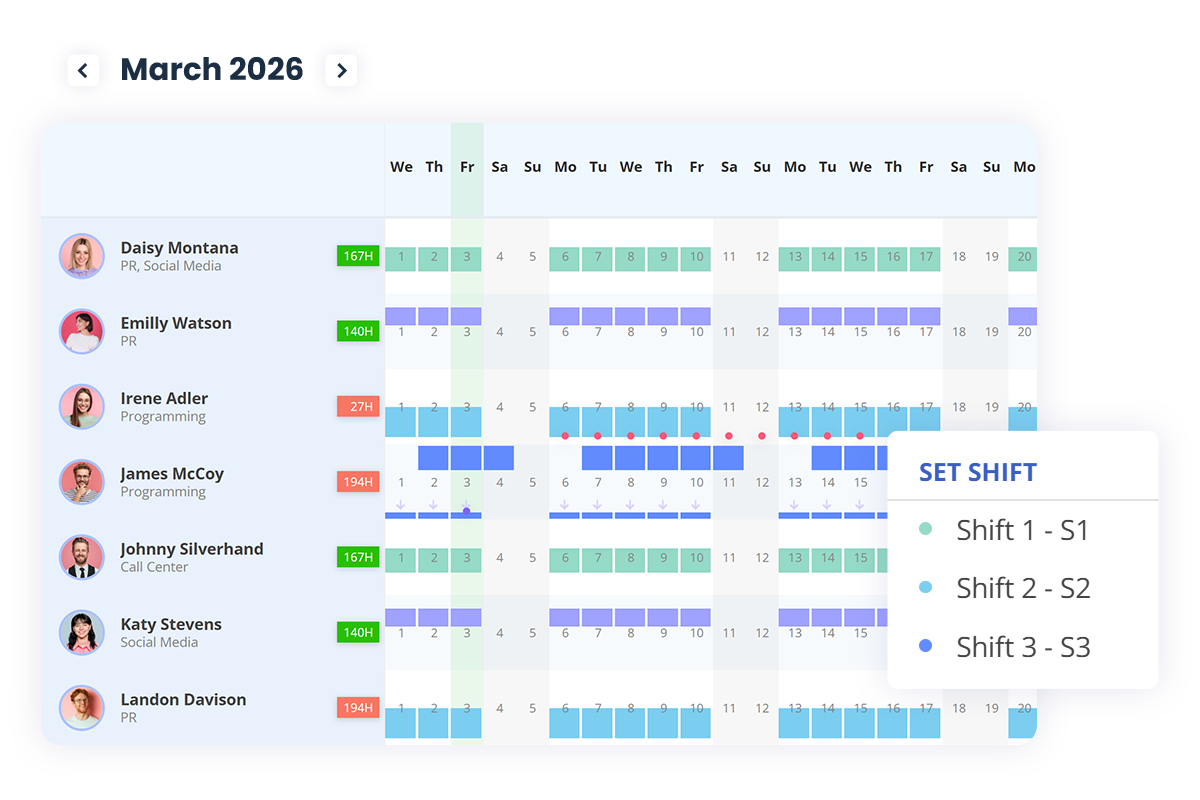
With shift models in place, you can assign them across employees, teams, or the entire company in just a few clicks.
3. Review employee time records
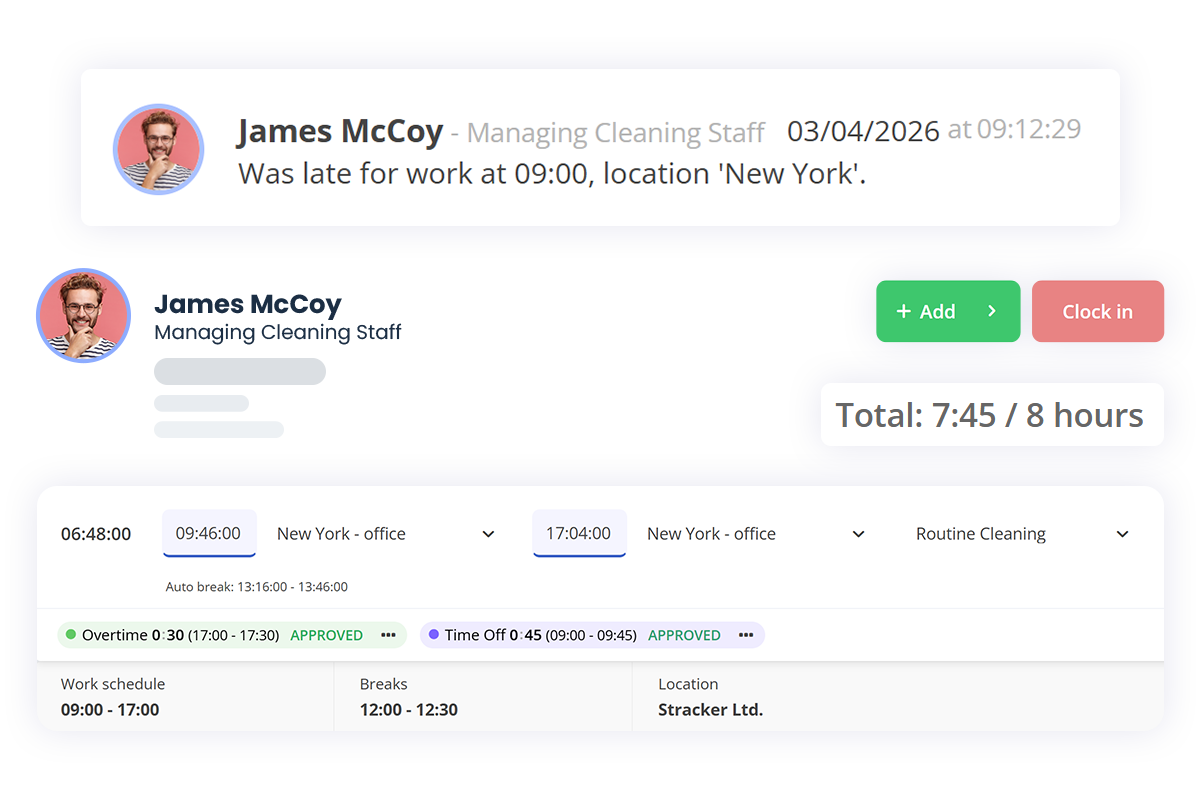
Once everything is in place, you can view each employee’s worked hours and easily fix any inconsistencies using the automated checklist.
Legal compliance
Shift scheduling aligned with legal requirements
An employee scheduling software like HRiFlow, helps you create work schedules that comply with your country's labor laws, so that work planning respects working-hour limits, rest periods, and other applicable regulations.
Transparent tracking
of work hours
"With the implementation of HRiFlow, we’ve been able to keep a clear record of work schedules and the changes that occur from day to day. We also save time in creating schedules through predefined shifts, automatic calculation of hours, and automatic attendance tracking. The app makes work easier for the HR department and beyond, allowing quick downloads of timesheets, recording and approving leaves, time-off, and compensatory time, with just a few clicks."

http://www.ilpasso.ro
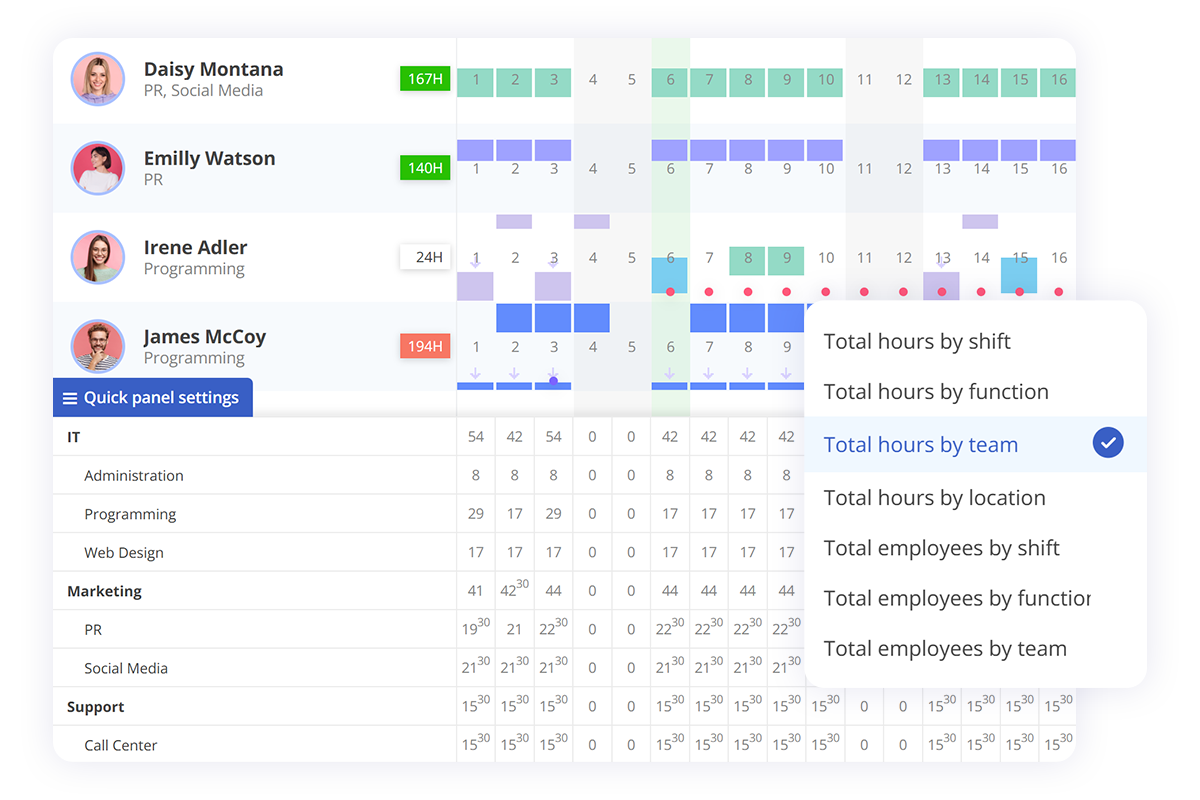
Shift scheduling
You have a complete view of planned hours by team, shifts, roles,
and location in order to prevent overlaps and ensure optimal staffing
at all times.
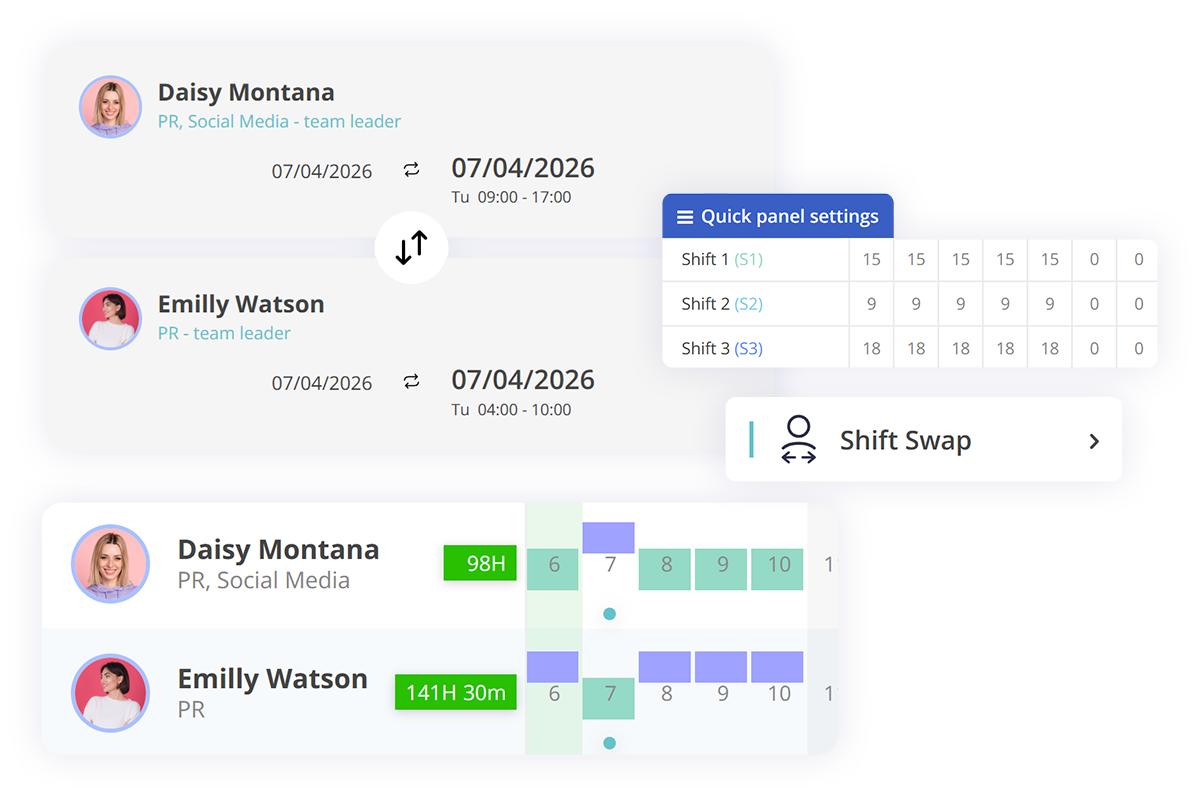
Shift swaps
For unexpected situations, employees can swap shifts with each other, with the team leader’s approval, without disrupting the overall scheduled
daily workflow.
Suitable for any industry
No matter the industry, you can schedule shifts, manage attendance, and adjust work plans to meet employees’ needs. Explore the sections below to see how HRiFlow can support your field.
Managing extra hours
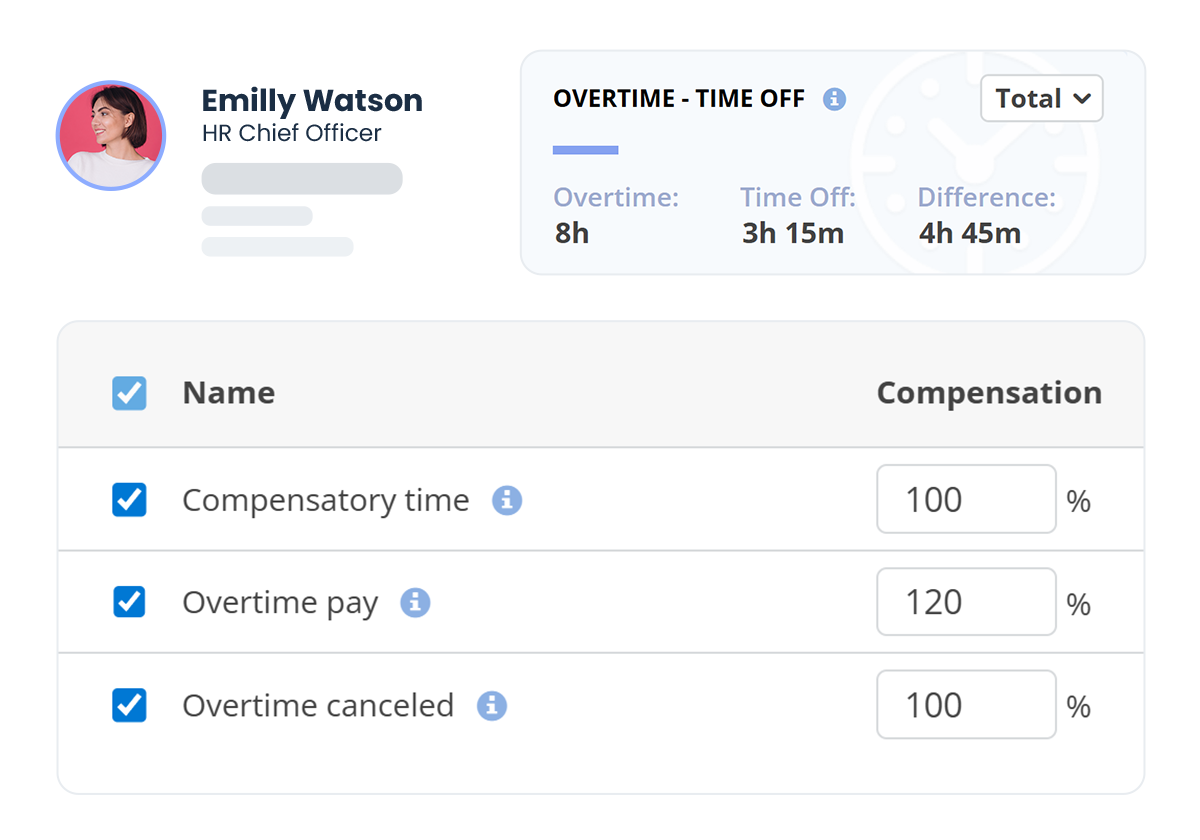
Overtime compensation
The app helps you track and manage overtime hours and lets you compensate them with time off or pay, following your company rules.
Tracking timesheet accuracy
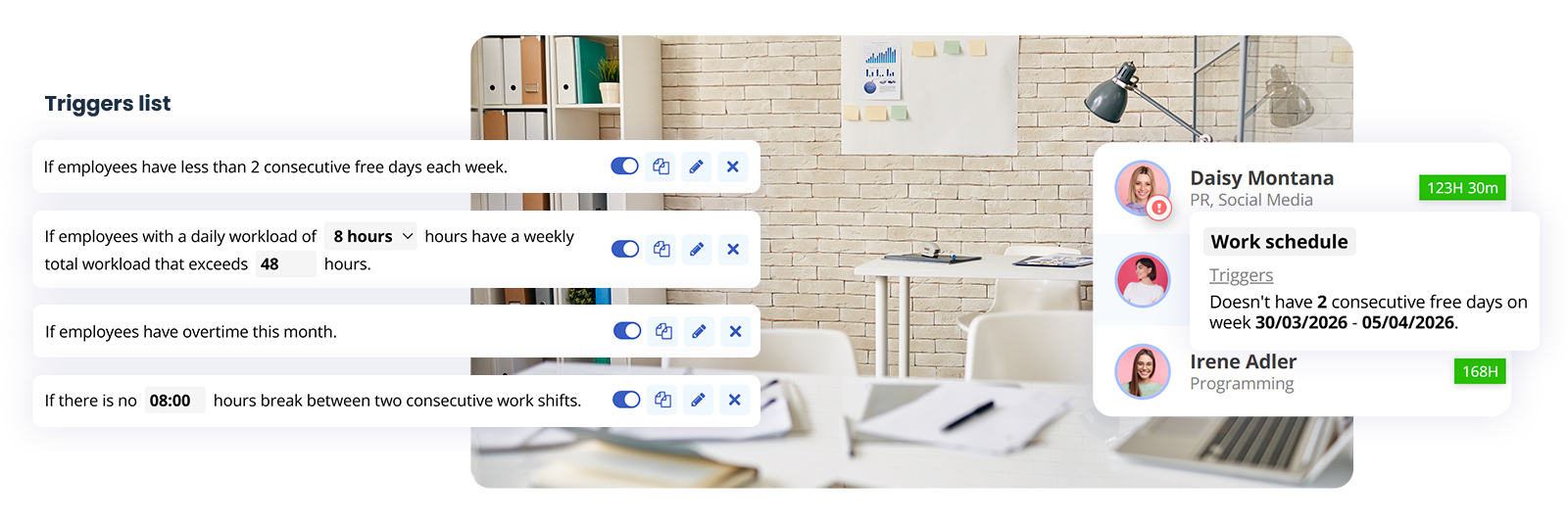
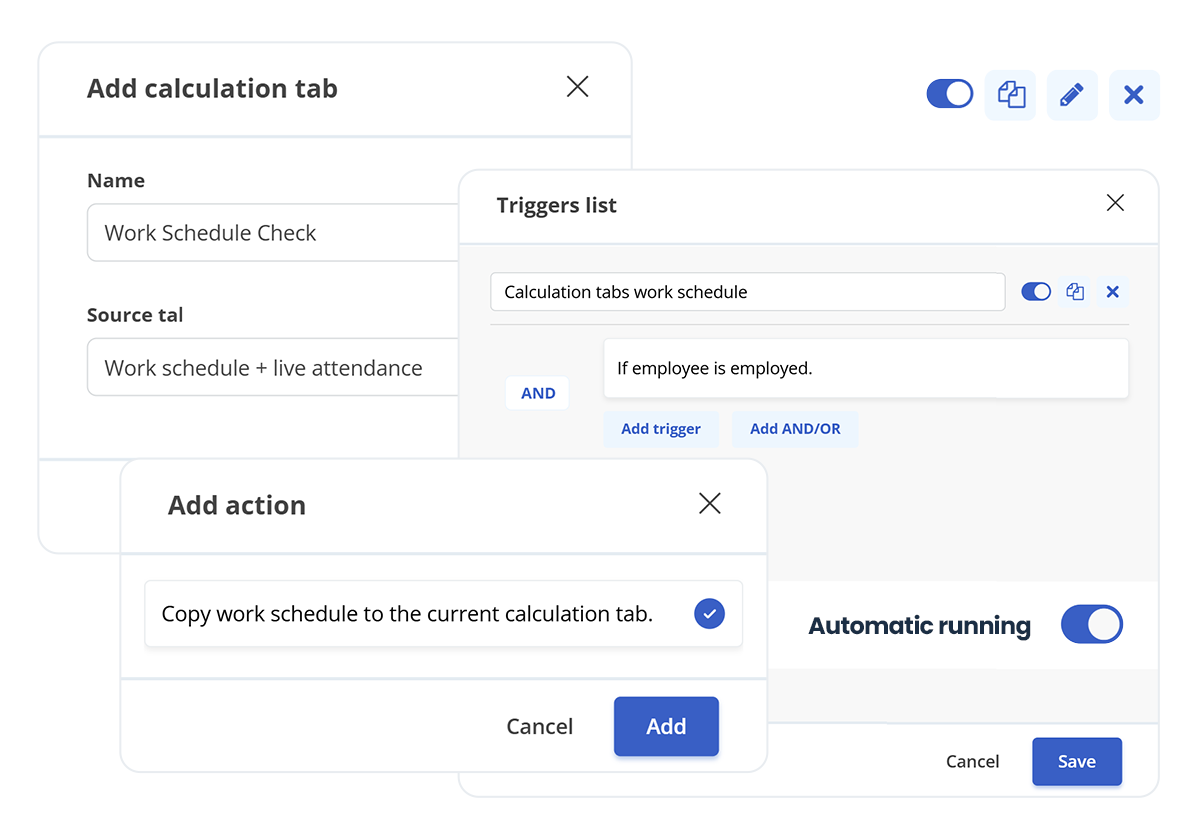
Work schedule triggers
You can easily correct all timesheet errors: missing clock-in/out times, entries at unplanned hours or locations, and other discrepancies.
A self-service software
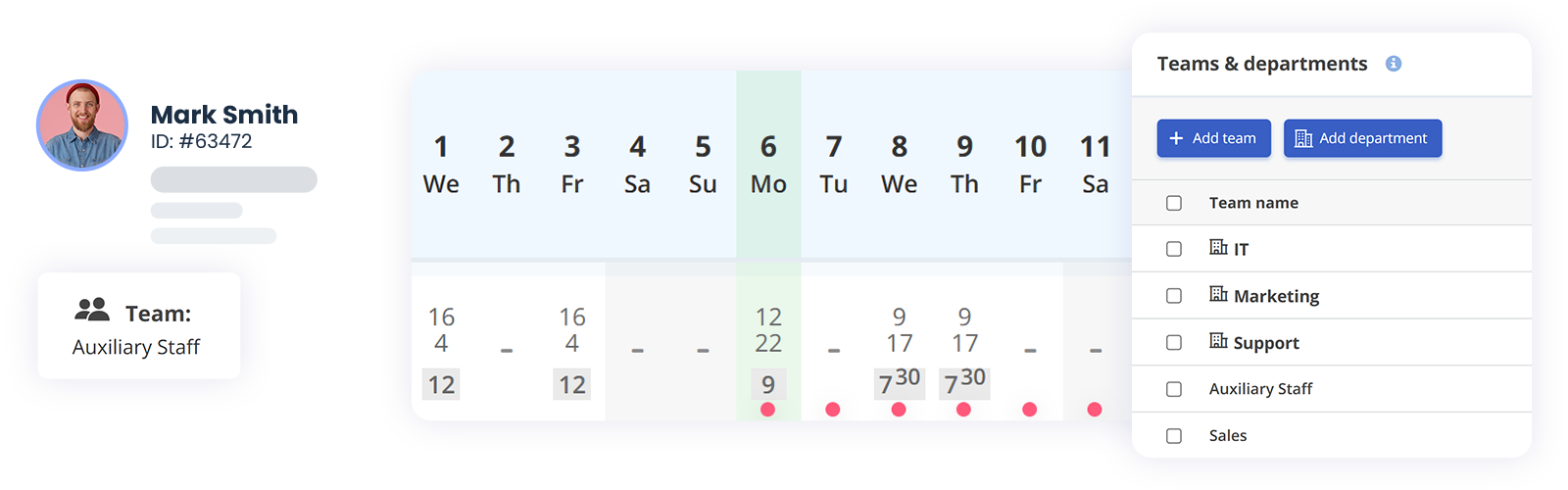
Dedicated accounts for all employees
Each employee can view their shift planning, track attendance, submit requests, and upload documents in their personal profile. Permissions are automatically set based on their role. Plus, the organizational chart shows the team structure and everyone’s responsibilities.
What sets us apart
HRiFlow helps you manage HR tasks with ease. You can track attendance, plan time off, generate reports, and oversee projects. And our support team is always available whenever you need assistance.
Other nice-to-have features
Along with the shift planner, HRiFlow offers tools that help you handle HR tasks
and keep everything organized.

Documents
Manage, sign, and store all company and employee documents in one place.

Leave management
Plan and allocate annual and special paid leave days in a smart way.

HR reports
Generate complete reports on attendance, overtime, activities, evaluations, and much more.
Plan your work schedule with HRiFlow
The app brings real benefits to your entire team: more accountable employees, detailed reports, and transparent attendance tracking, all in an intuitive and easy-to-use digital system.


