


Yes, employees can view their available leave day balance and leave history from their personal account.
Leave management
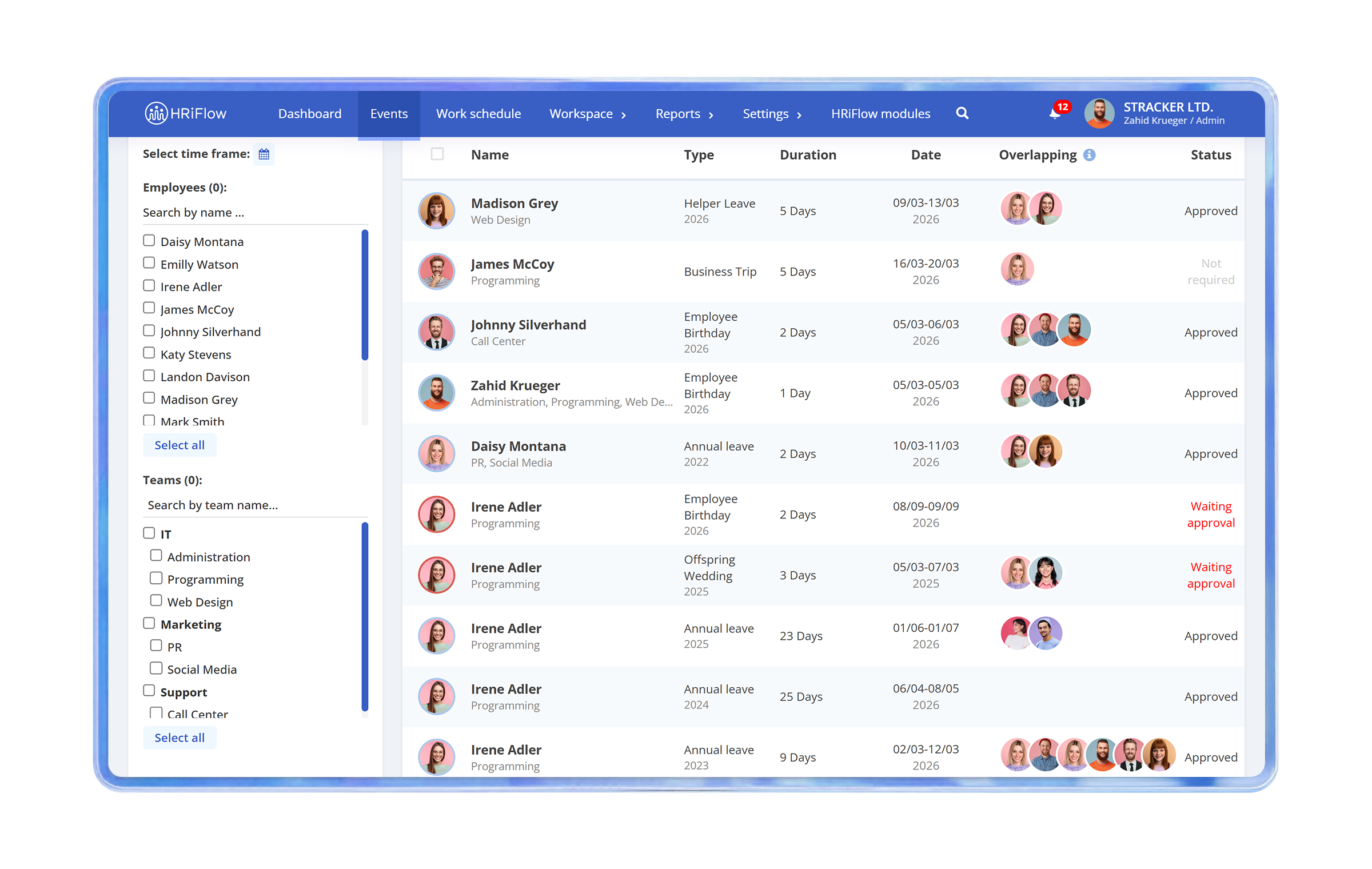
A comprehensive overview of paid leave days
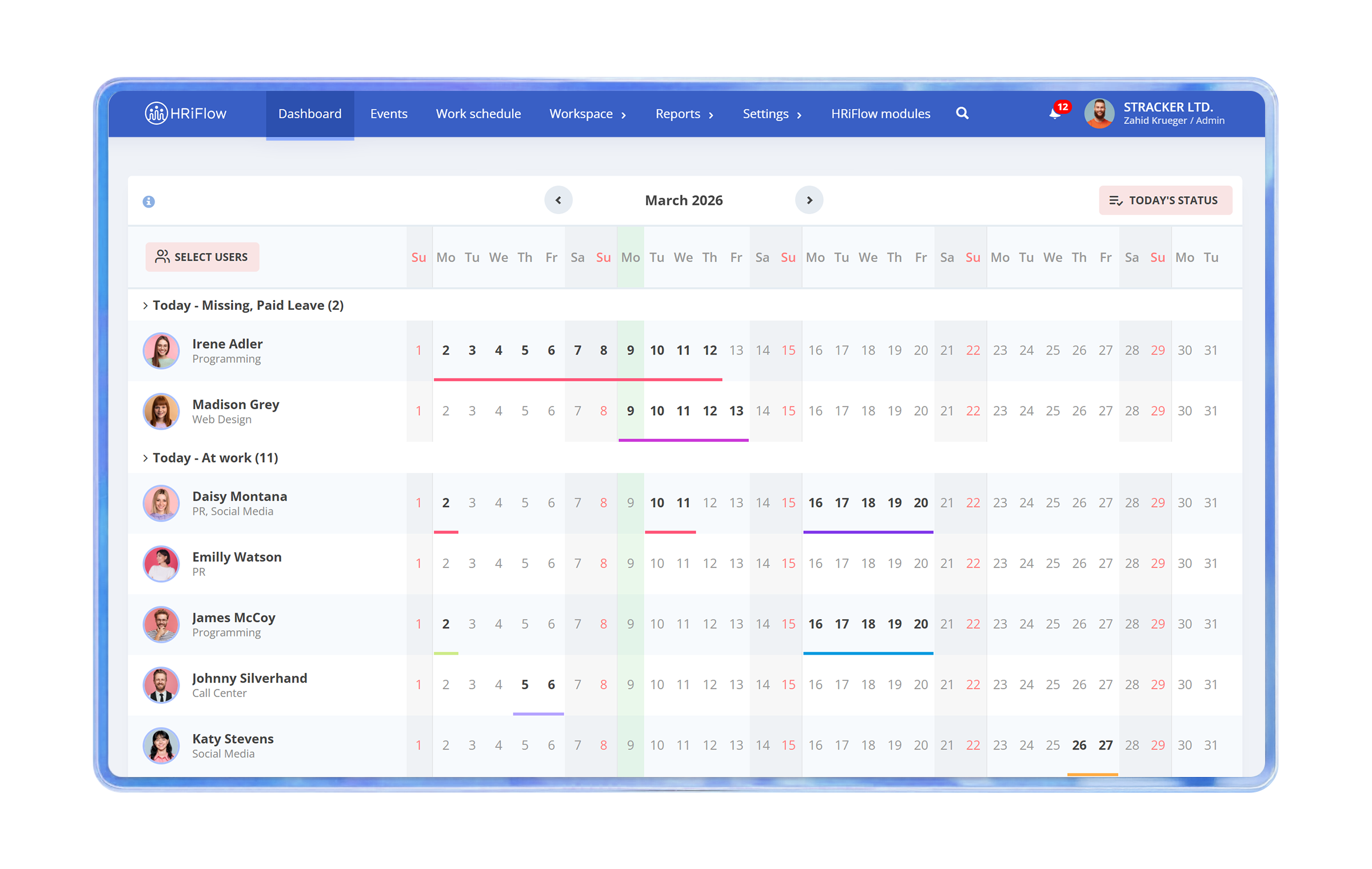
All information regarding leaves is centralized and updated automatically. The app provides a complete and up-to-date record of all paid leave days.
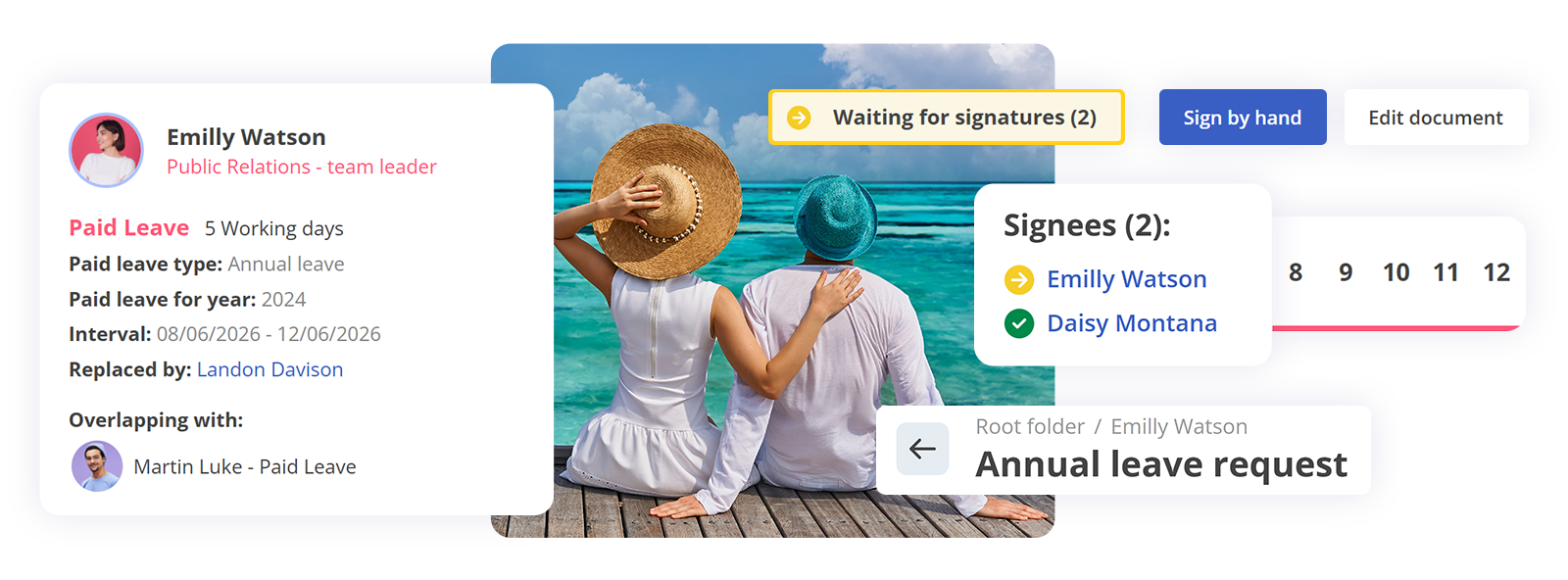
Employee self-service
Intuitive flow of requests and approvals
A simple leave request process with clear steps, automatic notifications, and visibility into each request’s status from start to approval.
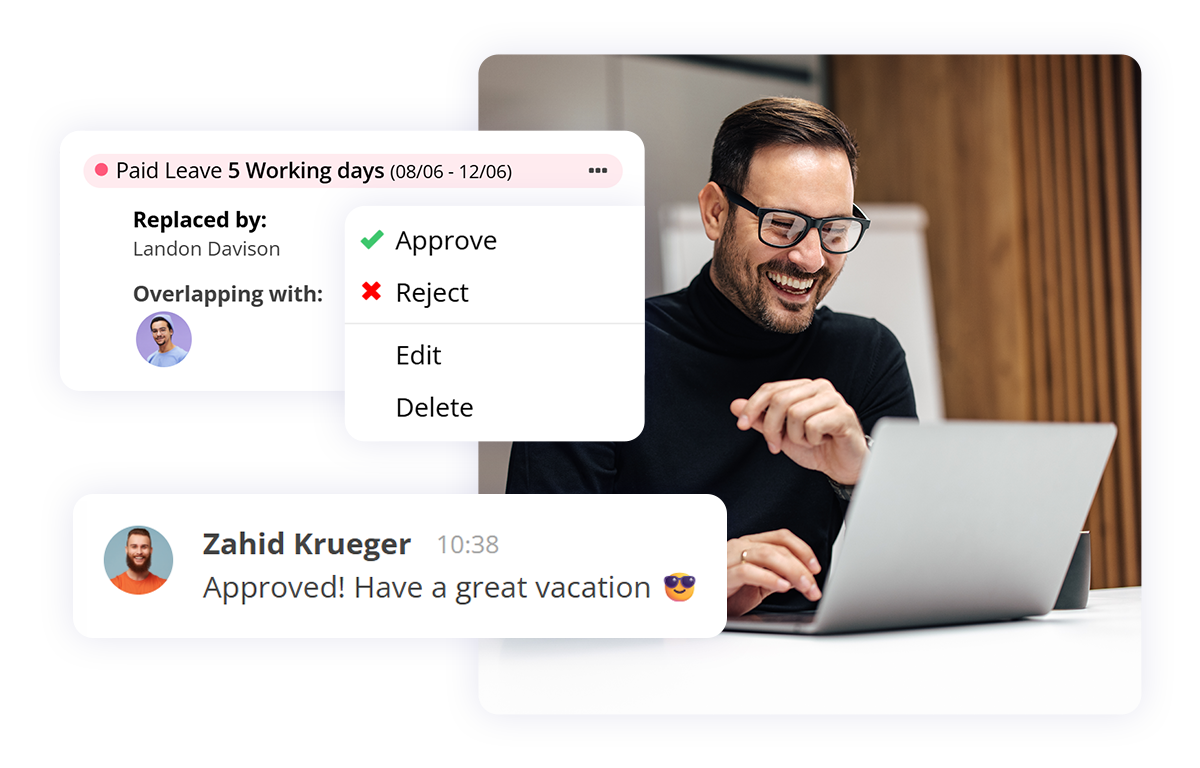
With just a few clicks:
Leave allocation
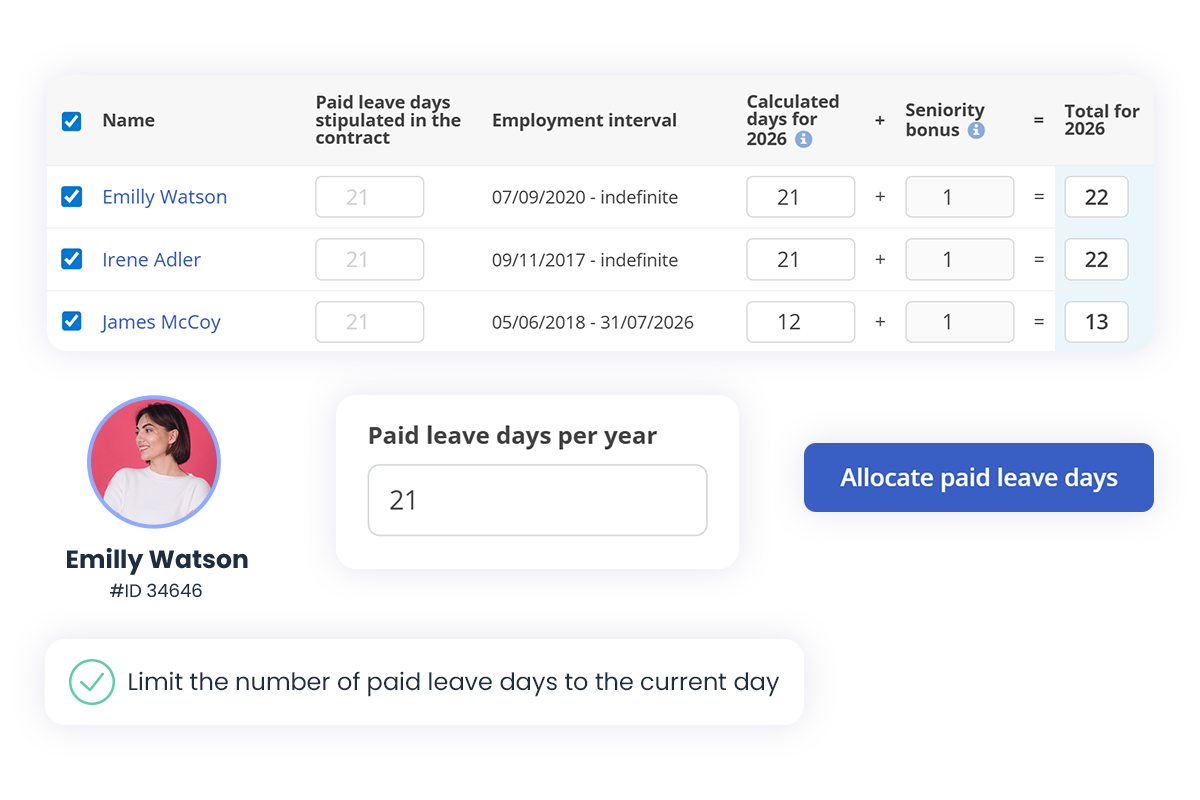
Record of paid leave allocation days
Automated leave day calculation
The app automatically complies with the general rules set at the company level, without requiring manual intervention.
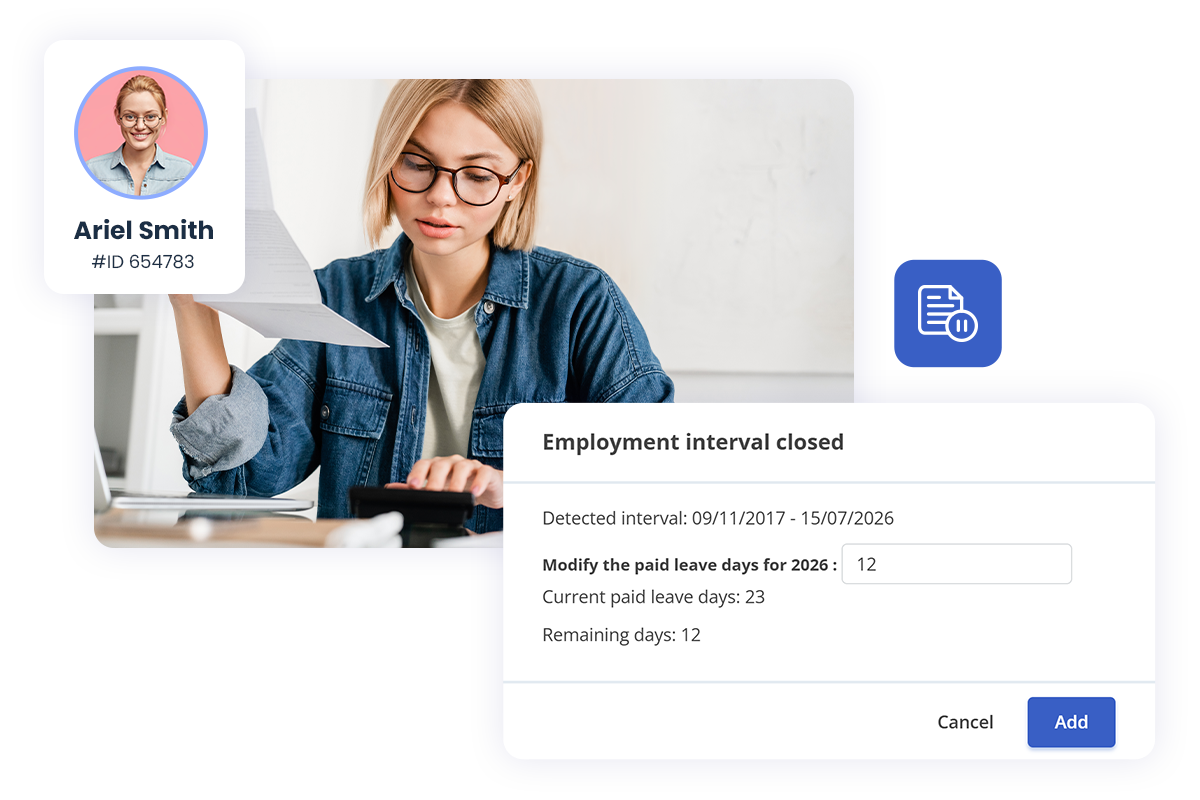
Smart paid leave
adjustment
The system automatically recalculates the remaining paid leave days for new hires and departing employees.
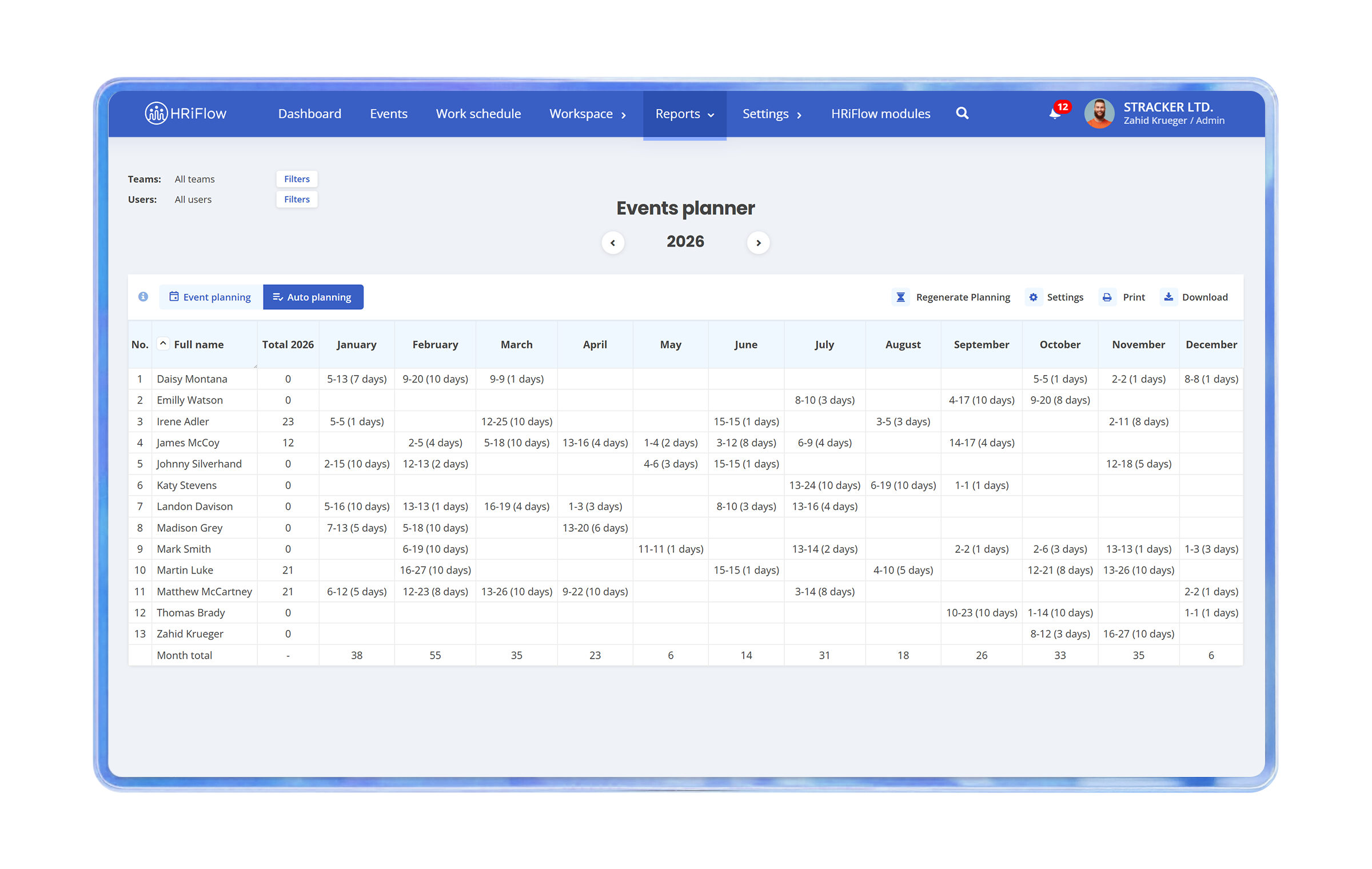
Plan paid leave days
in no more than a few seconds
"Beyond eliminating Excel sheets, paperwork, and signatures, everything in HRiFlow happens in real-time. The process of requesting leave takes you no more than a few seconds. HRiFlow offers transparency and accessibility to information, and you have it in your pocket (on your mobile phone)."
http://www.nobilacasa.ro/
Additional paid leave days
In HRiFlow, you can allocate and track extra holidays, including bonus or special days, with clear visibility into the balance of days and the reason for each allocation.
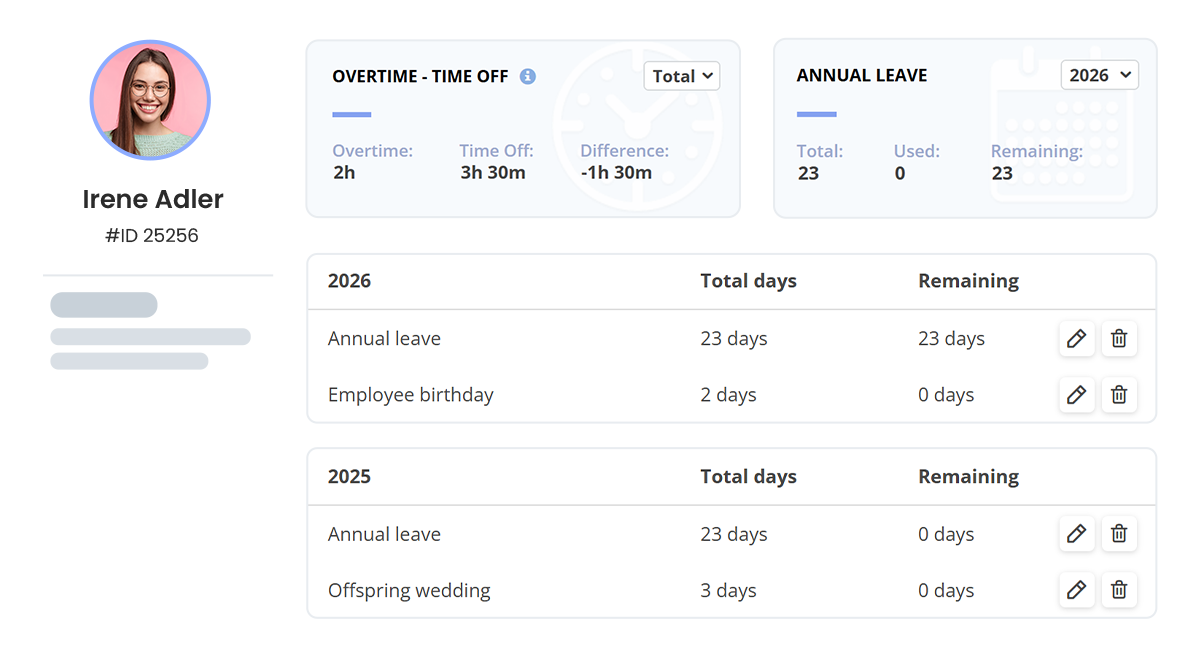
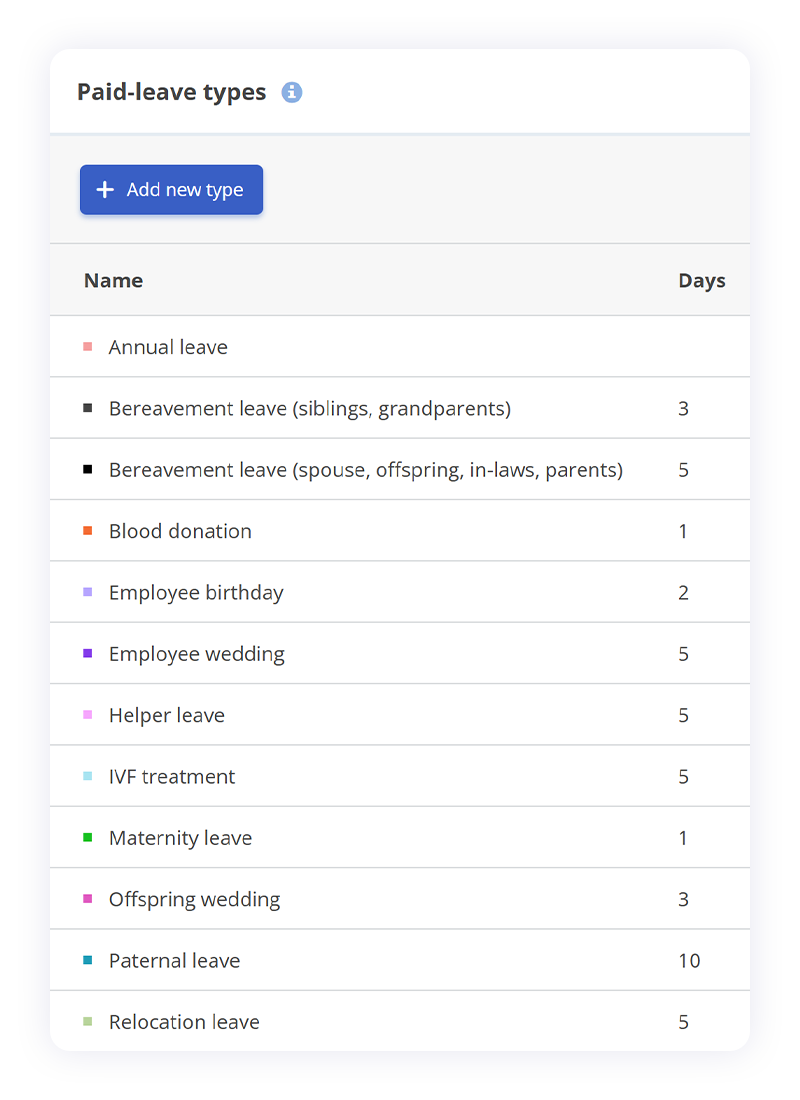
Annual and special paid leave days
Besides the annual paid leave days, you can set special ones (wedding, caregiving, blood donation, etc.). Each paid leave type is labeled accordingly, and you can see how many days of each type have been used and remain.
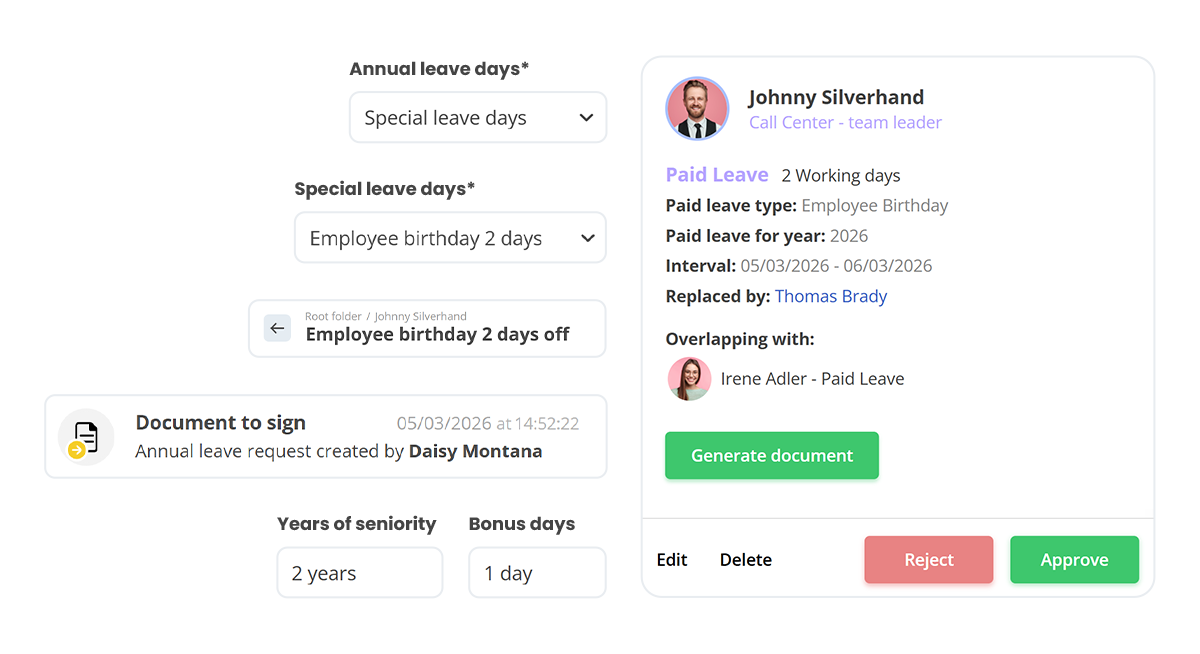
Bonus paid leave days
The system allows additional paid leave days for seniority or other special events, such as birthdays, with configurable rules depending on company policy and company needs.
Advanced tools
Want to see how our leave management software works from a technical perspective? We’ve prepared a detailed article that presents all the available features and shows how they can simplify your paid leave processes.
Quick access to information
Explore the benefits of digitalization
Document templates
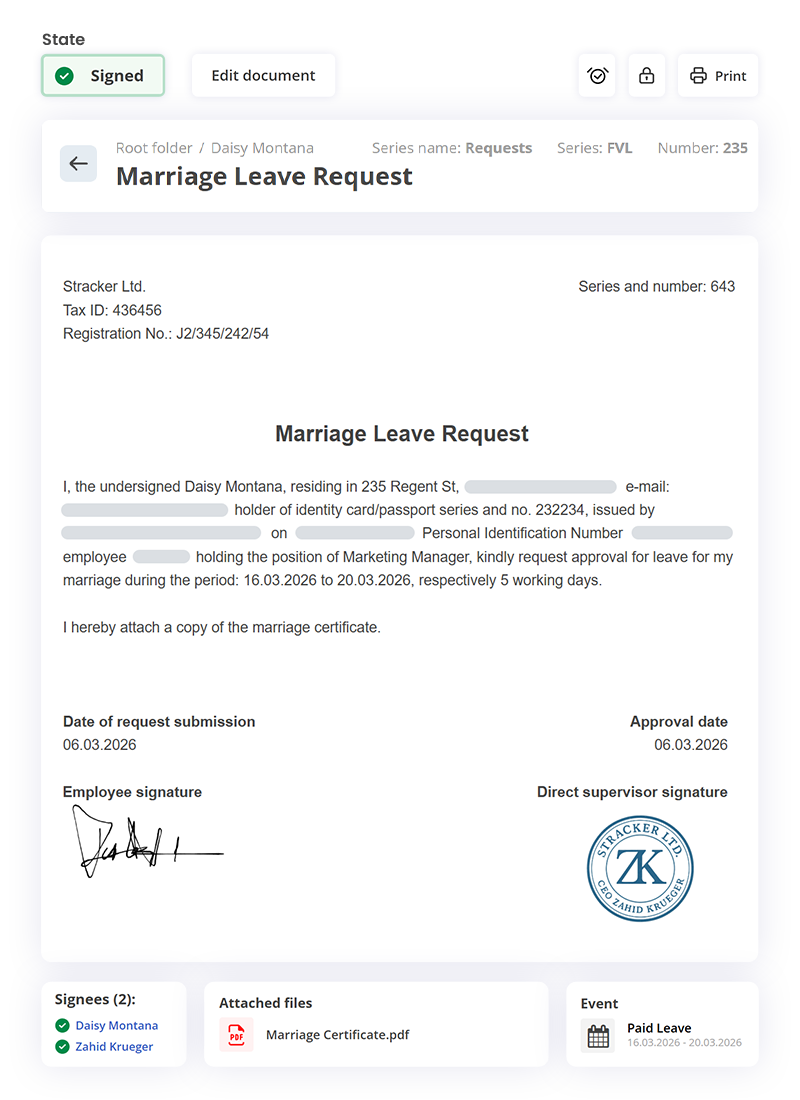
Auto-filled requests
The leave requests in HRiFlow come with a ready-to-use template that can be customized to your company’s policies and needs. These requests can be signed digitally or physically and stored in the employee’s personal file.
Other nice-to-have features
In addition to leave management, with HRiFlow gives you access to a full suite of tools designed to make your HR tasks easier.
HR Reports
Generate, share, and download HR reports such as attendance sheets, paid leaves, absences, overtime, meal vouchers, and other important records.

Documents
Generate, sign, share and store all your company's employee documents in a secure way so you can access them easily.

Time Tracking
Plan, manage, and report employee attendance, as well as other important events such as leave requests, certificates, and approvals.


FAQs
Didn't find the answer you were looking for?
Our team is here to help!
What types of leave can HRiFlow manage?
HRiFlow allows you to manage all types of leave used within a company: annual leave, sick leave, unpaid leave, leave for special events (marriage, childbirth, bereavement, etc.), and other types defined by the organization's policy (seniority leave, birthday leave, etc.).
How does the leave approval process work?
Employees submit a leave request in the app and choose a substitute to cover for them while they're away. The substitute gets notified, and the request goes to the manager or approver. The app also creates a ready-to-sign leave document, which both the employee and manager can sign electronically.
Team leaders and HR staff can also submit leave requests on an employee's behalf when needed.
Can employees see their leave balance and request status?
Can I configure different rules for granting leave?
Yes. HRiFlow allows you to configure leave-granting rules according to your organization's policy. You can define leave types, approval rules, and specific entitlements for different categories of employees or departments, so that the process complies with both legislation and internal regulations.
Can I submit suspensions and suspension terminations to Reges Online for sick leave directly from HRiFlow?
Yes. If you opt for the Reges Online module (available for companies operating in Romania) for sick leave that involves the suspension of the employment contract, you can generate and submit suspensions and suspension terminations directly from the HRiFlow app.
Leave management made simple & predictable
Schedule a demo or create a free account to try HRiFlow.
The free trial period is 15 days.


