


Registering leave requests is easier than ever with HRiFlow. Everything happens in one place, in your account and you can approve requests in just a few clicks.
Below you can find the steps necessary to register leave requests in HRiFlow.
Adding a leaving request
You or your employees add the request directly from your phone, or any other divide with an internet connection and the info is automatically added in the app.
At that moment the app will also generate the completed document for the leave request. Everything is archived in the app so you can easily print or download them after.

Approving leave requests
You will be informed by email when a new request is added and with just 2 clicks you can approve, reject the request. The employee will be notified of your decision.

Leave reports
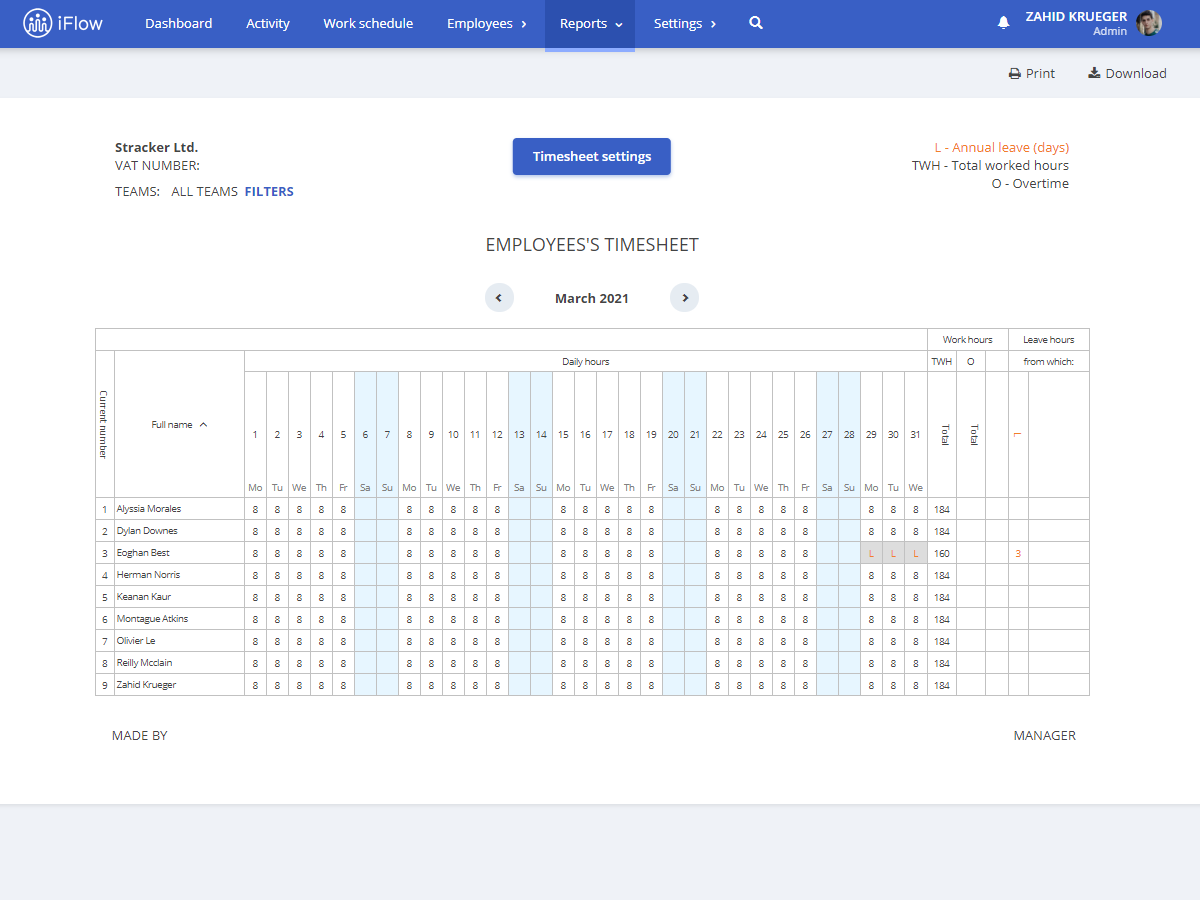
Leave reports are automatically generated after each approved leave request. The leave will appear on the timesheet and monthly attendance.
Due to the design, you have a monthly overview from the Dashboard and leaves can’t overlap anymore because everyone can see when their colleagues have a leave planned.
Do you want to learn more about HRiFlow? Schedule a demo with one of our specialists, create an account and learn how to use HRiFlow from our video tutorials.