


Timesheet for Cleaning Companies
Mobile teams management
Many companies need help monitoring employees who work in different locations. With HRiFlow, employees can clock in digitally from any location, and the application will automatically centralize all data securely and correctly.
Trusted by
Our Clients



























Scheduling work shifts by locations
All information in the HRiFlow app is stored in the Cloud and can be accessed in real-time from any device.

Efficient management

Organization
Online reporting
Mobile clock-in by location
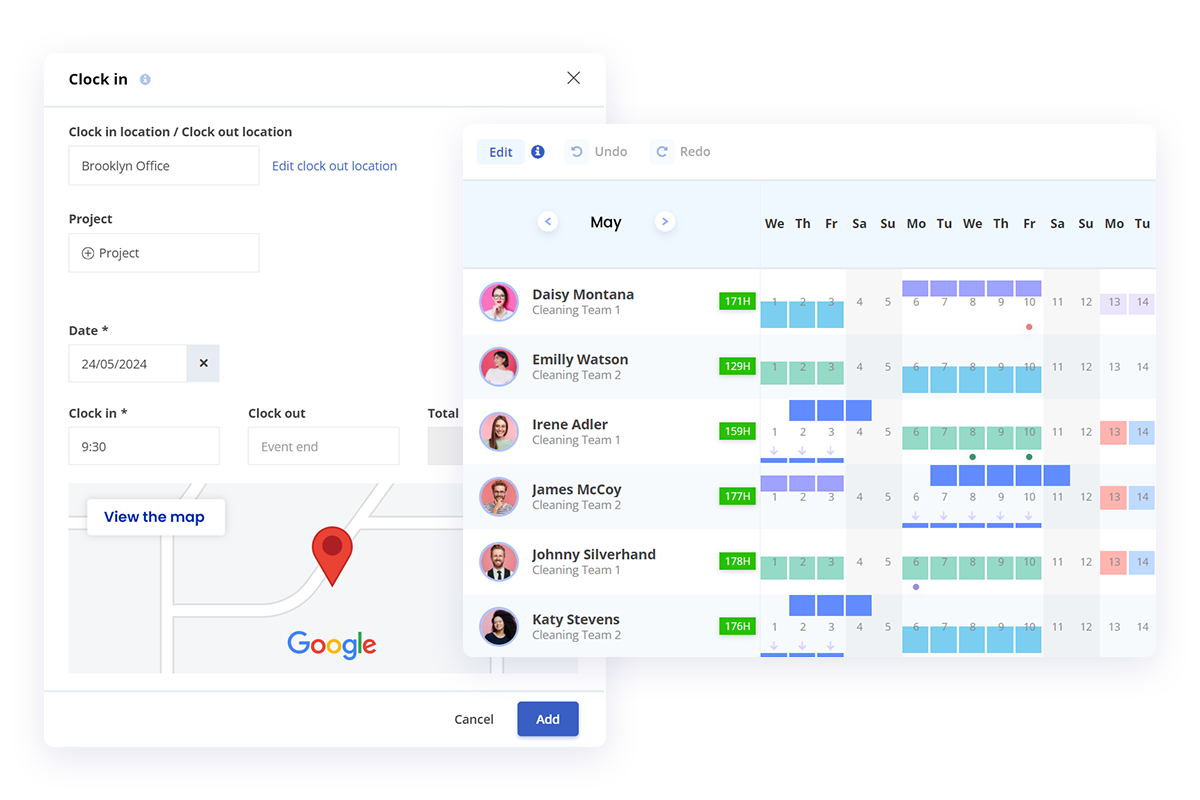
The application allows digital clock-in from any smart device with an internet connection, with the phone being the most used option for mobile staff. In HRiFlow, you can easily and quickly add an unlimited number of locations where employees work.
Mobile clock-ins also capture the employee's GPS location during registration. Additionally, geofencing ensures that employees can only clock in within the predefined areas.
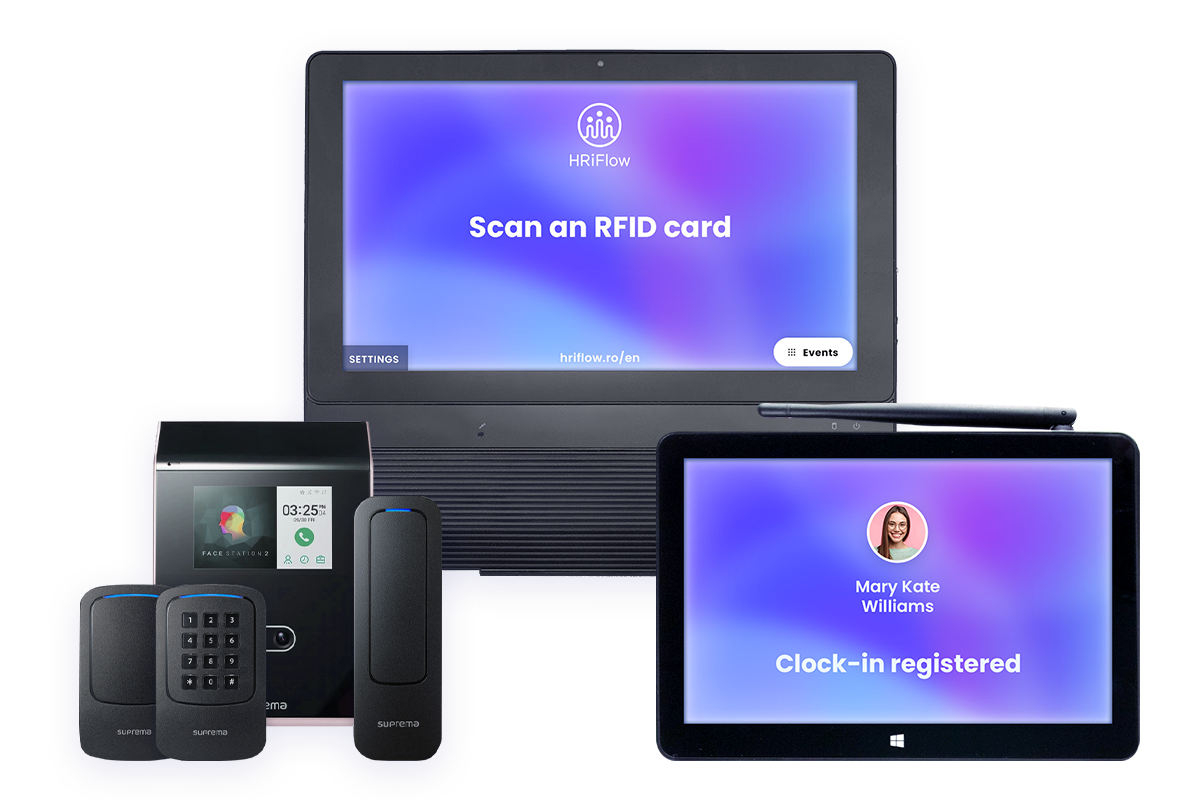
Do you have employees who are unfamiliar with technology? The weblink or PIN code clock-in method is suitable for employees who do not have smartphones or are unfamiliar with digital technology. In this sense, they will be clocked in by the person in charge of the default location with a unique employee code or PIN code without requiring access to HRiFlow.
HRiFlow accurately calculates recorded hours. The live attendance report is automatically updated regardless of the type of clock-in used.
Days off planned
in just a couple of seconds
"Besides eliminating Excel sheets, paper, and signatures, everything in HRiFlow happens in real time. The process of requesting leave takes only a few seconds. HRiFlow provides transparency and easy access to information, right in your pocket (on your mobile phone)."
http://www.nobilacasa.ro/
Structured informations
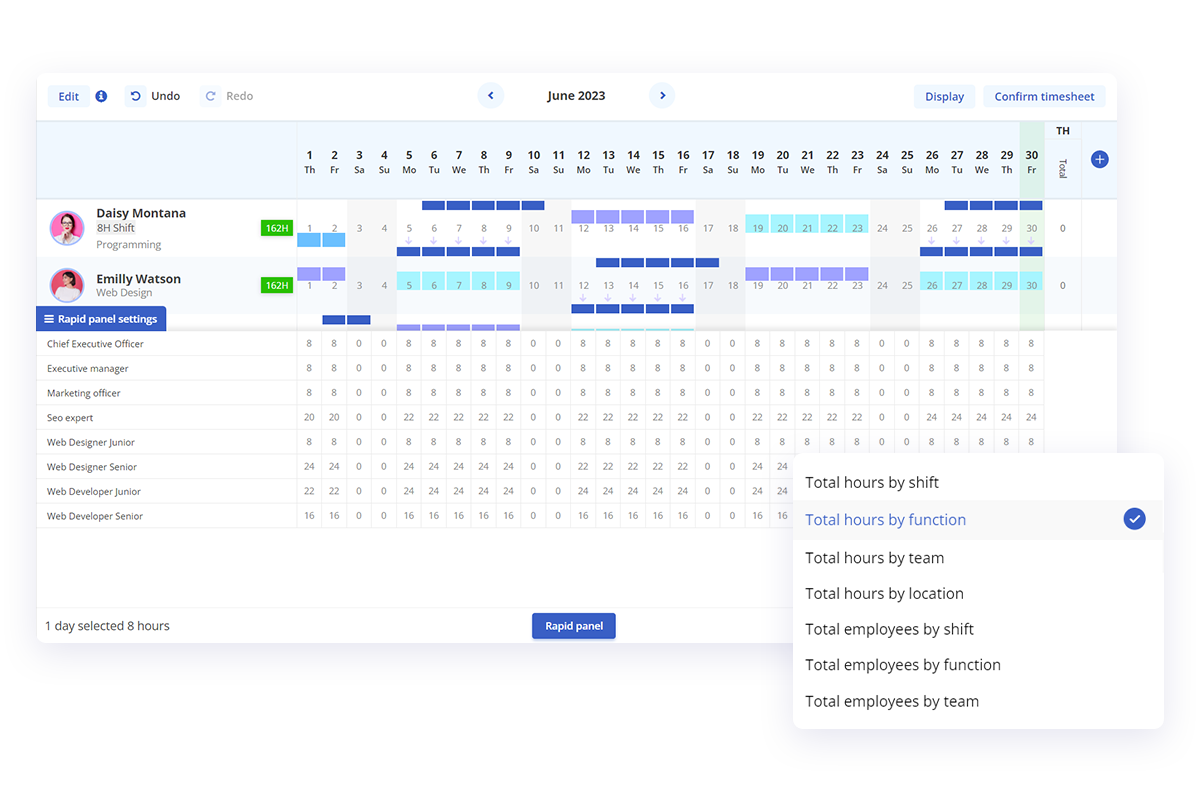
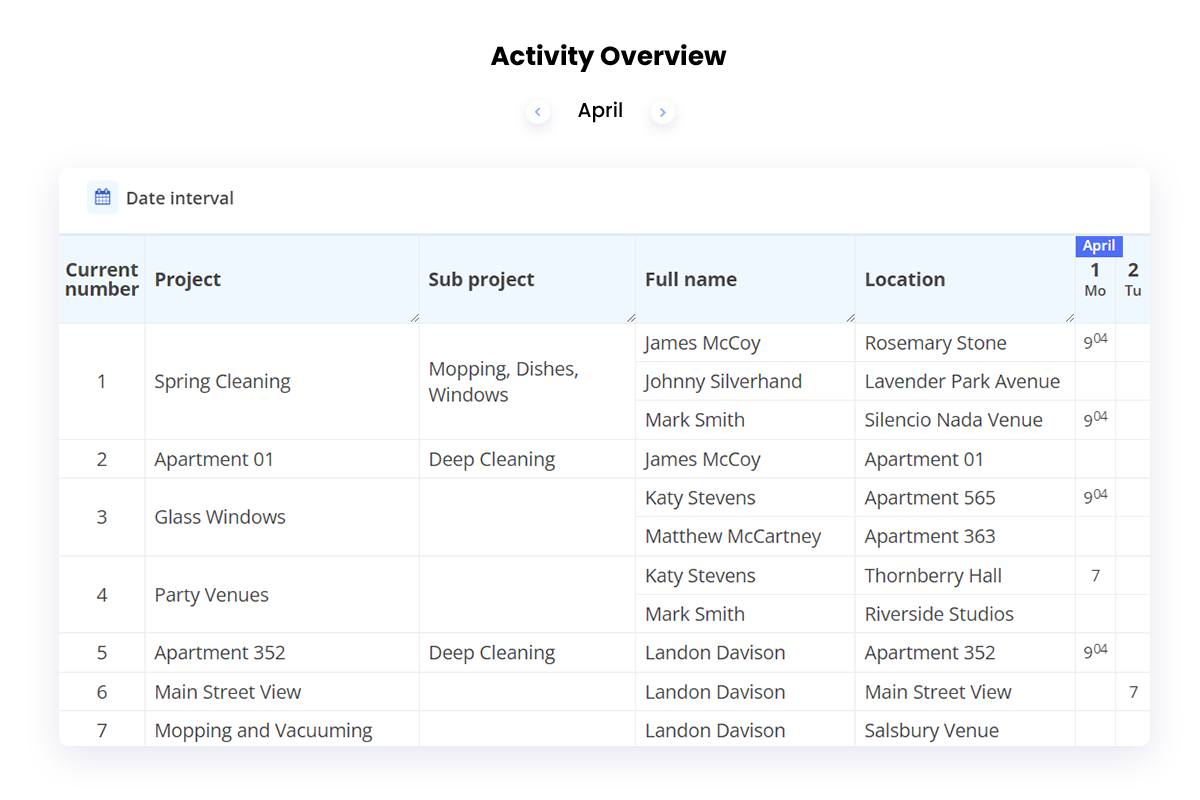
The quick panel in the workspace settings lets you obtain information about the total planned hours organized by filters such as functions, teams, locations, or shifts. This way, you'll have an efficient summary of employees' work hours and can quickly intervene when a specific shift or location doesn't have enough allocated employees.
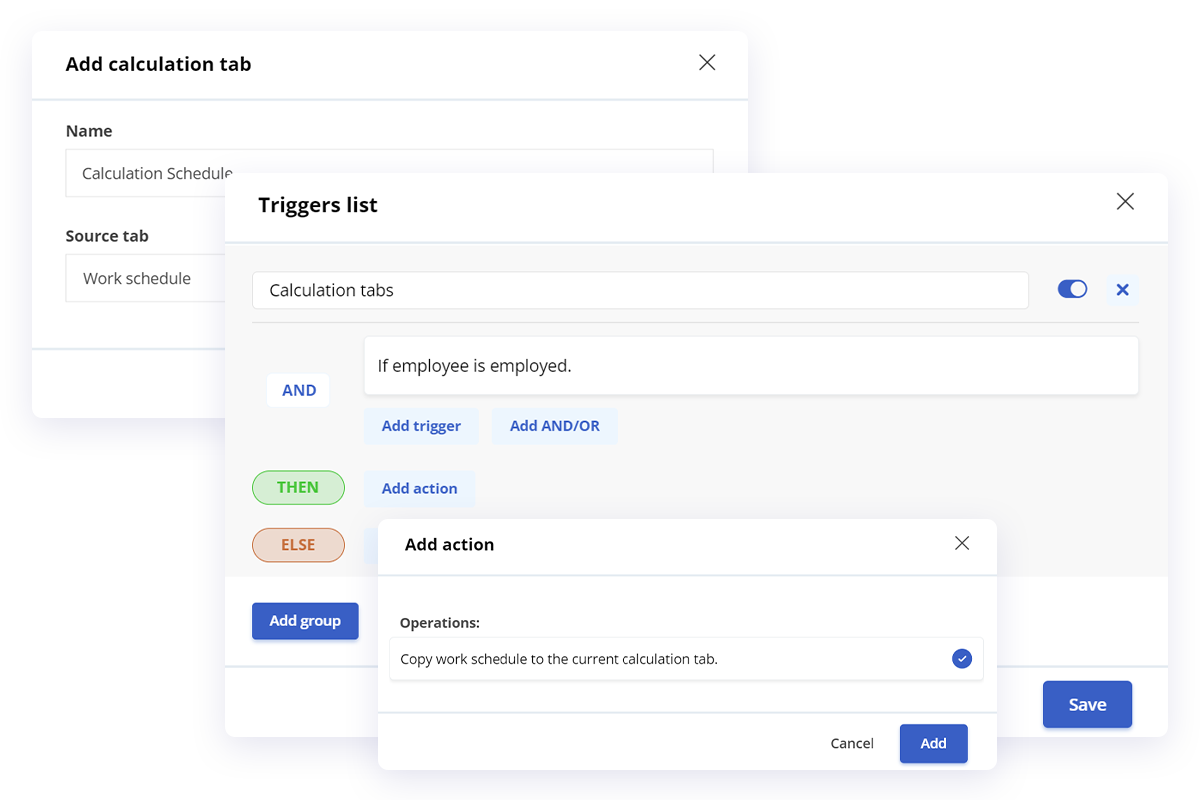
Using the checklists available in HRiFlow, you can edit all incorrect employee records, such as missing clock-in or clock-out times, punching in at an unplanned time or location, submitting leave requests on days when the employee was present, and other essential details. This way, you'll obtain an accurate timekeeping report without manually verifying and correcting all errors.
Effective monitoring of employees and teams
To provide top-notch services to your clients, you need flawless staff organization. HRiFlow helps you track whether your employees arrive on time at the client's location and whether work hours are respected in real time. No more waiting until the end of the month or for a call from the client to find out what went wrong; with HRiFlow, you're always informed on time!
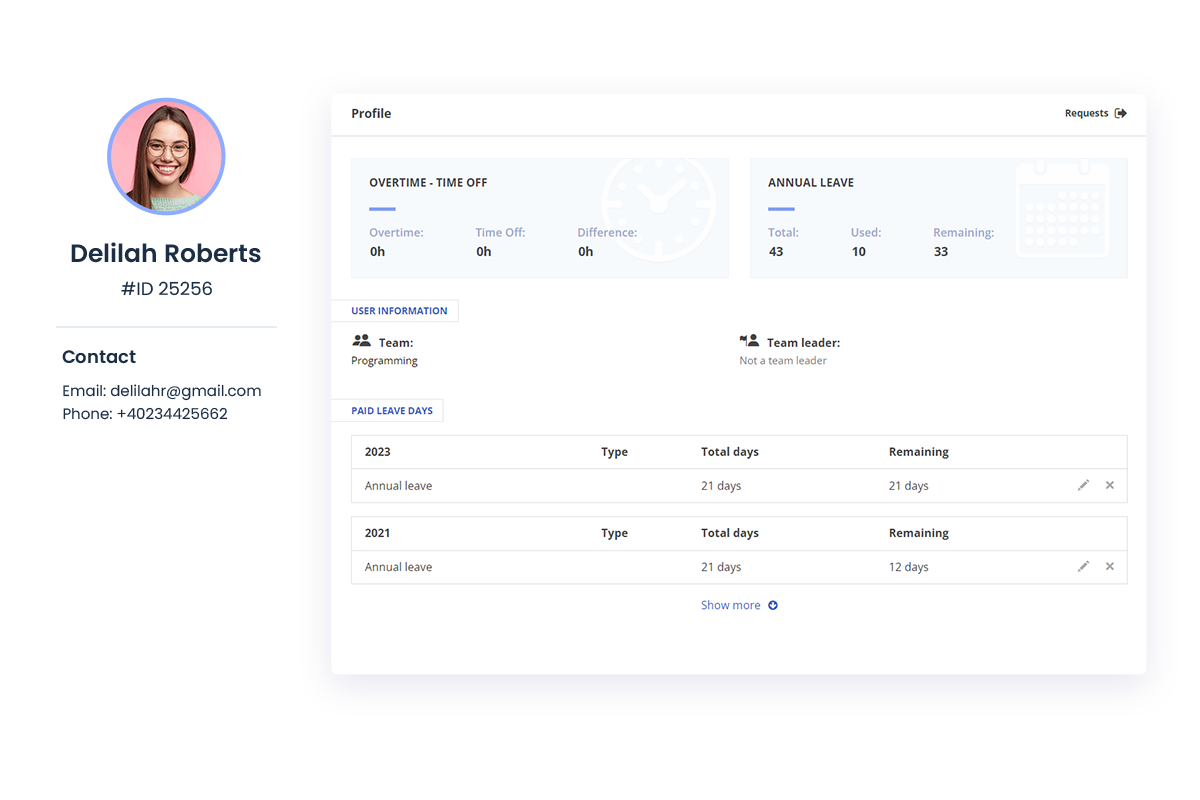
Choose your employees' access level within the application and provide them with the necessary information. They can check their recorded work hours and see if they have adhered to the scheduled hours. Additionally, they can add requests for vacation leave or record sick days. For employees with limited technology skills, choose HRiFlow Kiosk.
Business Modules


Make employee monitoring more efficient and enjoy flexibility and versatility in timekeeping. Leave the scheduling of work shifts for the field staff for the HRiFlow Time & HR application!


