


We are already in 2021, which means that your employees will start making new leave requests. Which are the methods you can use to add leave days for your employees? Find out below.
1. Add leave days by using the update file
Access the Employee panel, and click on Import employees. Here you will find two files: update and import. Click on Update to download the file which contains information about each employee in HRiFlow. In the end, you will have the column for Yearly leave days 2021. Complete the column with each employee’s number of leave days available for 2021.
Advice: Choose this version of adding the available days for 2021 when your employees have a different number of days.
2. Add leave days automatically
If your employees have the same number of paid leave days available, you can use this method to add them quickly and easily with just one click. Access Settings, click on Tools and complete the number of days, to finish click on Add. After this, every employee will have their paid leave days for 2021 updated.
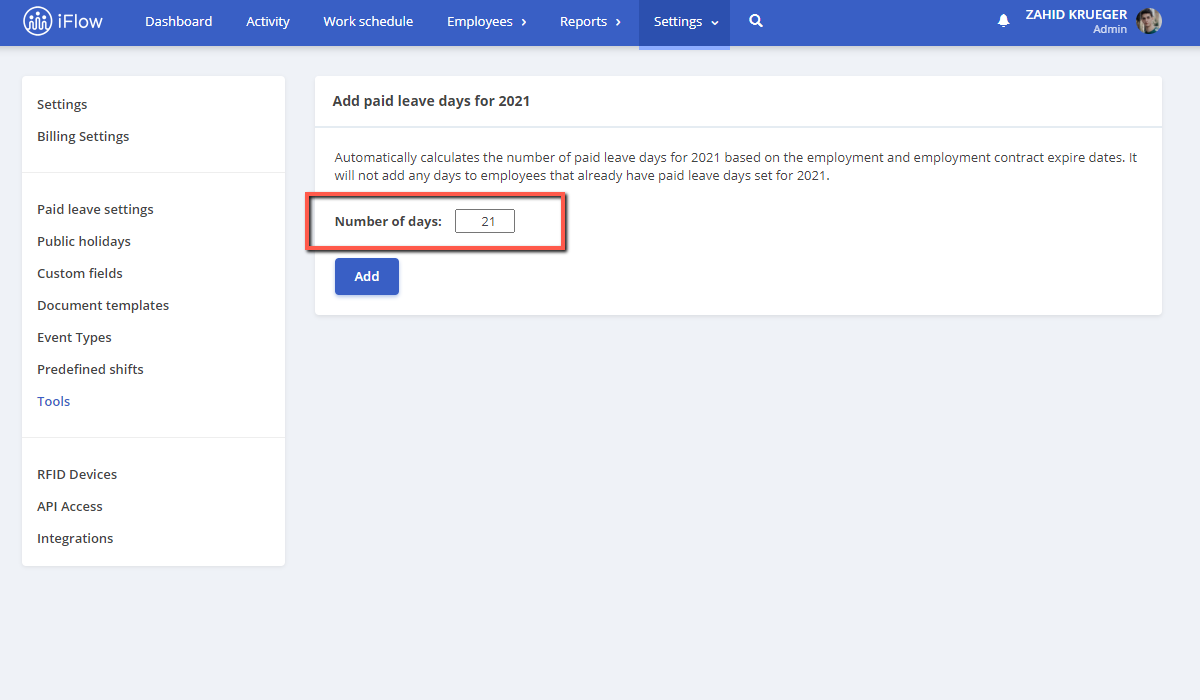
Advice: Choose this version if all your employees have the same number of days available. If not, please the first method.