


As always, a new month brings a new update to the HRiFlow app! In this version, we’ve introduced features that will simplify document organization and the use of custom fields. Here’s what’s new:
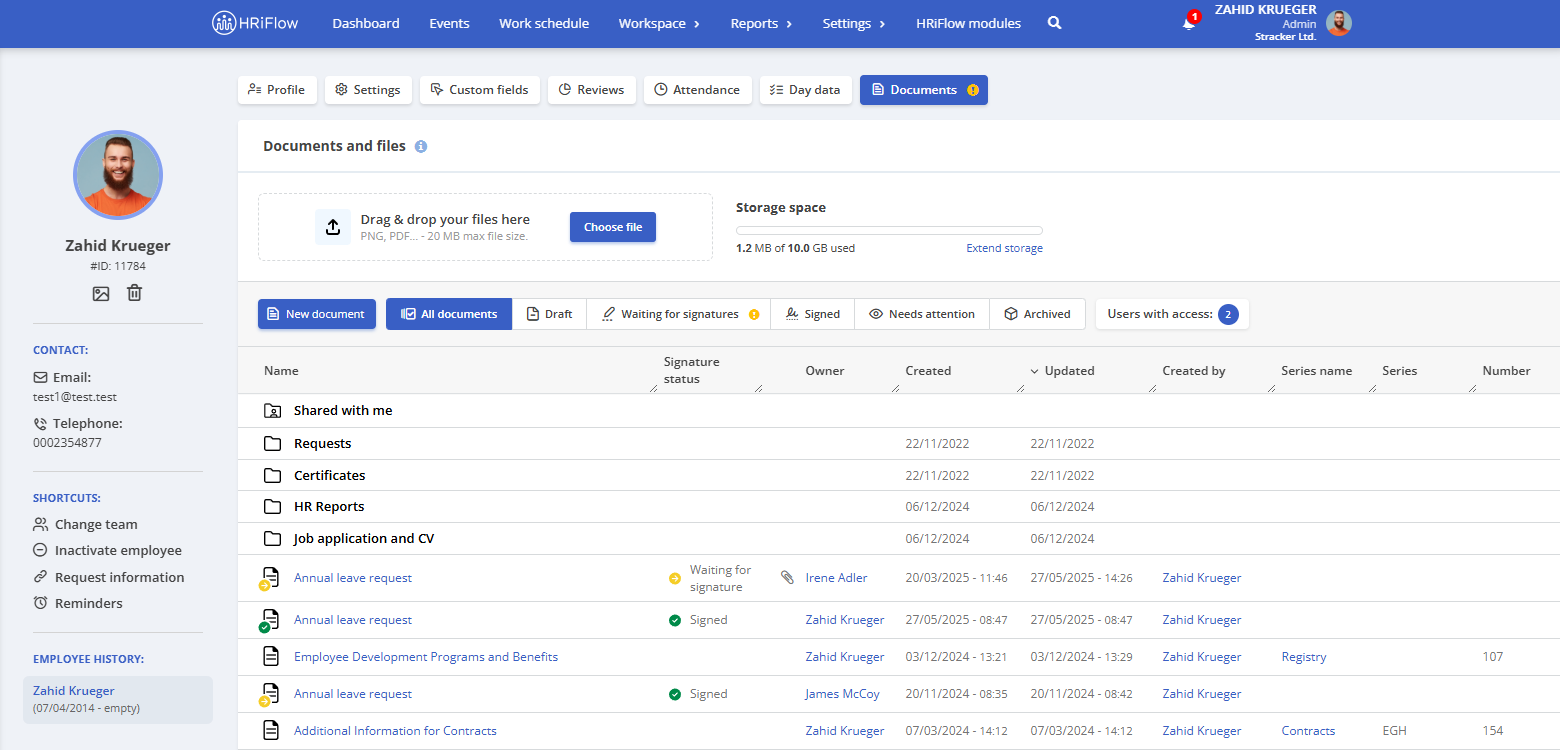
Shared Document Folder
The document management module iDocs is now even more flexible! Documents shared from outside your organization will now be organized in a dedicated folder within HRiFlow.
- Quick access and better structure – All shared documents are now in one place, so you can easily find them whenever needed.
- More control – If a document is no longer needed, you can remove it from your list without affecting the original version.
Folders for Document Templates
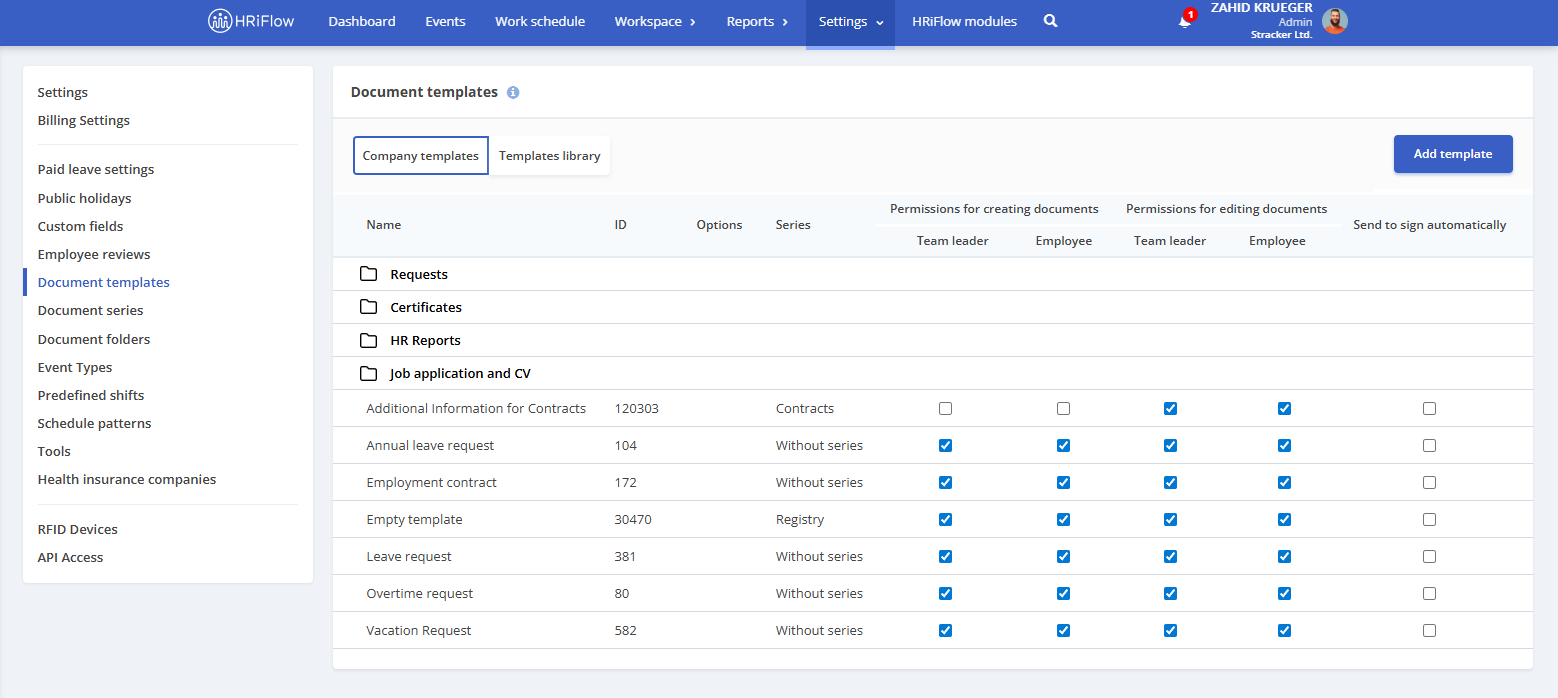
Now, not only documents but also document templates can be organized into folders. This feature lets you maintain a clear template structure and quickly find the needed model.
New Categories for Custom Fields
Custom fields in HRiFlow are essential for keeping relevant information at your fingertips. With this update, we’ve expanded their capabilities by adding new field categories:
- Custom fields for evaluations and documents – Now, you can add additional details exactly where you need them.
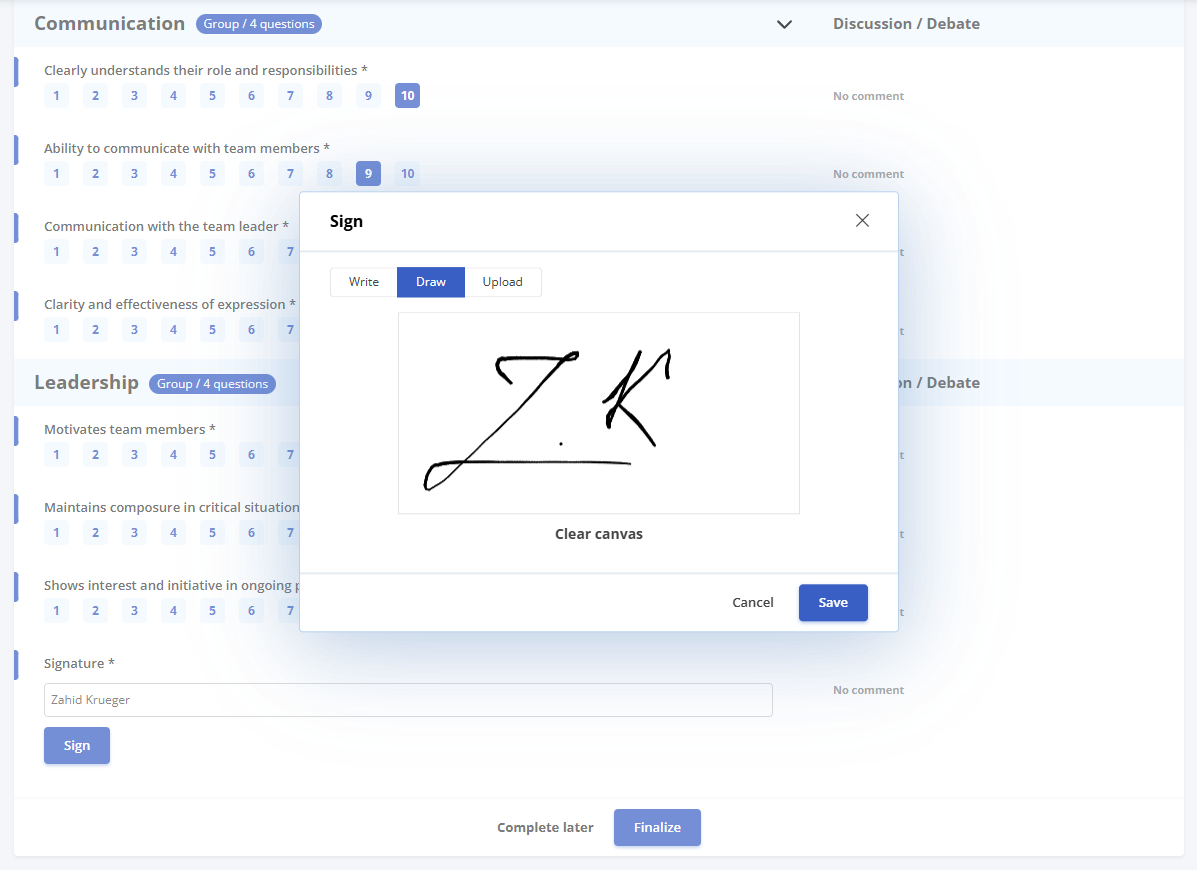
- Custom field for signatures—This field enables the digital signing of evaluations and documents directly in HRiFlow. It is perfect for collaborating with external users, allowing multiple signers to access the same document.
Once the signatures from the custom field are collected, you can add them to the final document with just one click.
Placeholders for Documents
To automate the generation of documents related to overtime compensation, we’ve introduced new placeholders specifically for this type of event:
- {EVENT_OVERTIME_COMPENSATION_INTERVAL_START} – Start date and time for time-off compensation, or just the start date for paid compensation or canceled events.
- {EVENT_OVERTIME_COMPENSATION_INTERVAL_END} – End date and time for time-off compensation, or just the end date for paid compensation or canceled events.
- {EVENT_OVERTIME_COMPENSATION_PAY} – Time (HH:mm:ss) compensated through payment.
- {EVENT_OVERTIME_COMPENSATION_CANCELED} – Time (HH:mm:ss) corresponding to canceled overtime hours.
Thank you for using HRiFlow! Stay tuned for even more improvements in the coming months!