Everyone knows that time is the most valuable resource. In a company, employees should focus on work rather than losing time doing paper reports by hand. So, when it comes to time and attendance management at the workplace, it’s easier and more efficient to use an online app that keeps track automatically.
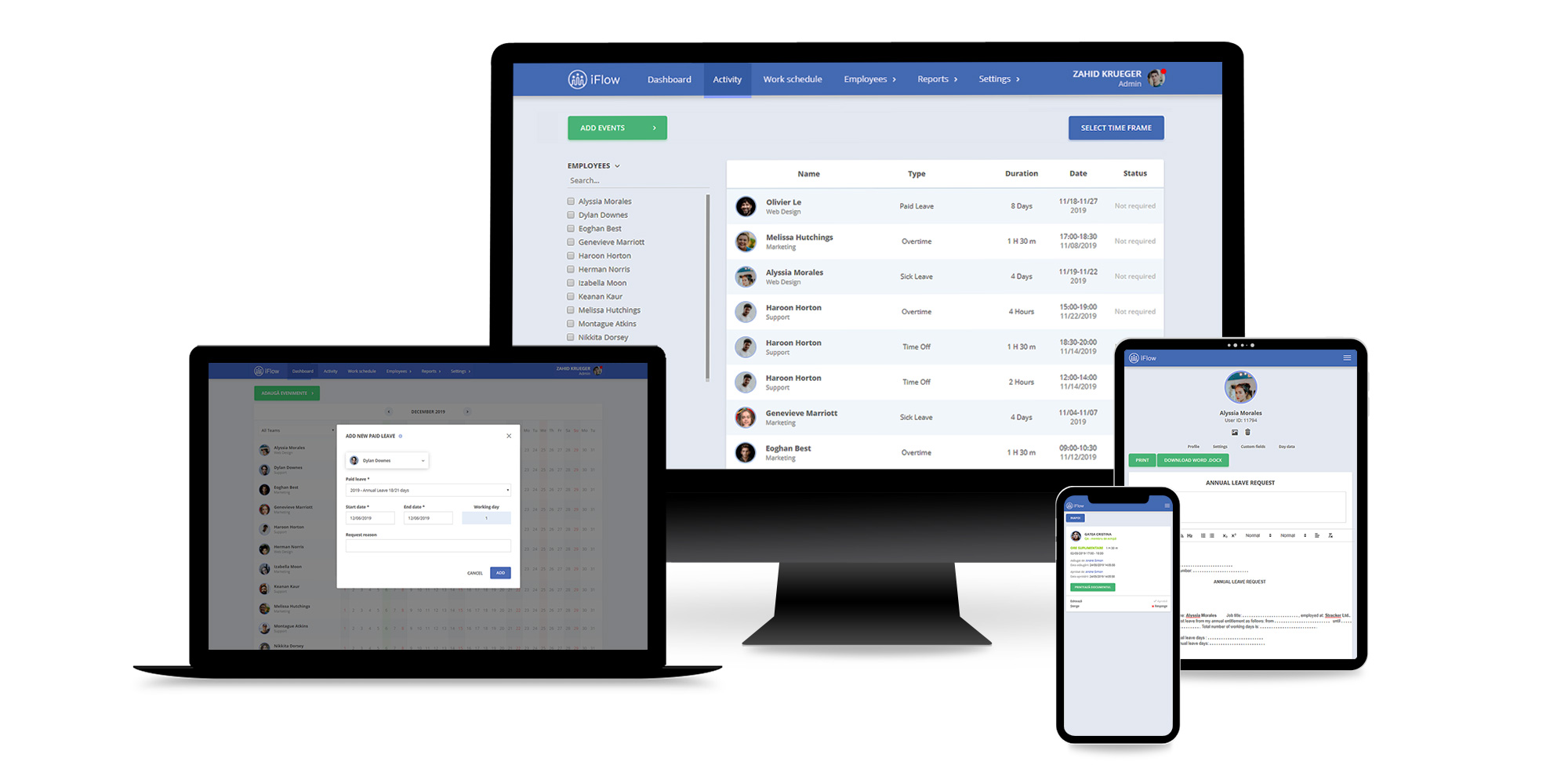
At a click away, HRiFlow is an online time and attendance app you can access from anywhere. Due to the employees’ self-service functionality, the app allows members to access HRiFlow from their mobile devices such as smartphones or tablets. This means you don’t have to stay in front of a computer to check out your employees’ timesheets. It is also a mutual benefit for both of you and your team members. With an Internet connection, everyone can use the software and its functionalities, no matter where they are.
Why You Should Choose the HRiFlow App
Employee Self-Service Application
The HRiFlow app has been created with the user-oriented in mind. Employees have the possibility to record their work time easily, simply by using the Check-In / Check-Out buttons inside the app. When employees hit the Check-In or Check-Out buttons, the app recognizes the time & attendance location. Also, if someone wants to take a vacation, needs to leave work for an hour, or to stay overtime, employees can monitor the progress of their requests by keeping an eye on the mobile timesheet approval status. Furthermore, each employee will always know how many annual leave days he has available. It is a win-win situation not only for your employees, but also for you as the administrator of the HRiFlow account.
Easy-to-Access from any Device
The beauty of this app is the ease of use from any device. There’s no need to install the HRiFlow app and hold everything on your computer. All you have to do is use the wanted device to quickly access your HRiFlow app dashboard. If you’re travelling abroad, this is the fastest way to check out your employees’ working time and attendance. Also, every employee can use the app from any device to add overtime hours or leaves.
iFlow detects Human Error
Everyone makes mistakes. Sometimes they are small and don’t harm, while others are big and mix-up things for the company’s records. For example, what happens when someone does two conflictual actions in the HRiFlow app? Well, HRiFlow is a smart app that immediately detects human errors and notifies you about the encountered anomalies, so you can preview them in one place. With the HRiFlow app, no mistake goes unseen!
Let’s see how exactly does HRiFlow app detect human errors. In your HRiFlow account, in the timesheet “Reports” tab, you’ll see the details for every error or conflict from the app. Within just a few clicks, you solve any situation. Smooth and easy!
To better understand, here’s a frequent case. Quite often, when an employee is on annual leave, he’s also registered with a realtime work attendance. How did the HRiFlow app respond to this particular situation?
In your timesheet “Reports” you’ll notice a red symbol displayed in the box assigned to the day this conflict occurs, for a specific user. By clicking on the red symbol, HRiFlow automatically redirects you to the “Day Data” page where you can preview the work schedule for your employee, time and attendance worksheet, and added events. On this page, you can edit or delete any incorrect information. To solve this conflictual case, you may remove the annual leave, as it’s definitely a mistake since the employee is attending work.
Real-time work attendance
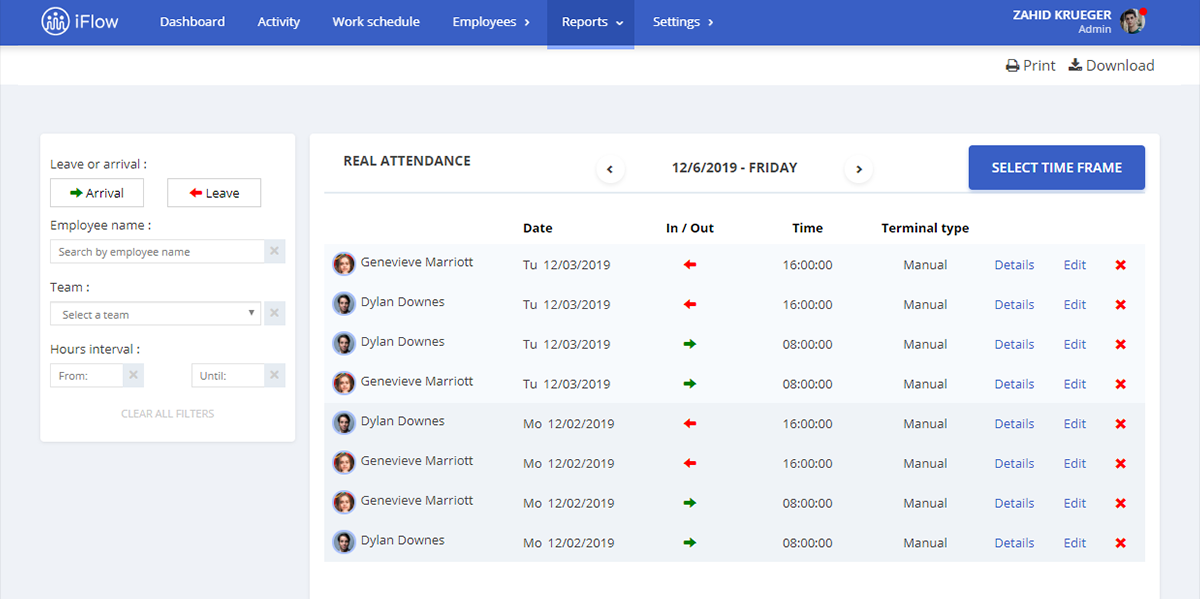
Tracking time and attendance at work, from any device has never been easier. For example, by using the HRiFlow app account from your mobile phone and the Check-In and Check-Out buttons, you quickly make the mobile timesheet, the same as from a desktop device. The following information is automatically registered, no matter from which device the timesheet is performed:
- Precise time intervals between hours and dates
- Employee’s name (each user account is unique)
- Timesheet location (only if this option is needed)
- Terminal Type (manually or automatically)
Moreover, you can always verify employees’ timesheets whenever and wherever you are. The HRiFlow App allows you to see details about the work attendance of each of your employees. HRiFlow also includes a special report for realtime work attendance, with a complete filtering system, based on the information you’re searching for.
Lost time is never found again
Nowadays, technology is a vital resource your company needs to benefit from. A famous American writer, Benjamin Franklin, once said that “lost time is never found again.” The HRiFlow app was developed precisely for this, so that you and your employees stay focused on work tasks and projects, instead of spending essential hours on keeping paper reports.